RXZ-WP61RLWIRELESS PCI CARD
Pro-Nets Technology Corporation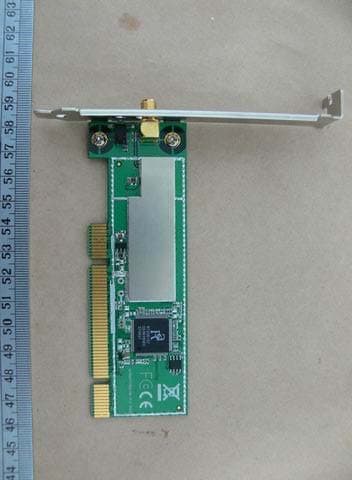
Click to zoom
Application Details
- Equipment Class
- DTS - Digital Transmission System
- Date of Grant
- Apr 22, 2007
- Application Purpose
- Original Equipment
- Date of Application
- Apr 22, 2007
- Equipment Note
- WIRELESS PCI CARD
- Frequency Range
- 2412.00000000 - 2462.00000000
- Country
- Taiwan
Documents & Files
Document Text
Text extracted from the exhibit documents filed with the FCC. Open a document above to read the original.
Users Manual
Wireless 54Mpbs PCI Adapter User’s Manual (For SOHO Users) May , 2006 1 FCC Warning This equipment has been tested and found to comply with the limits for a Class B digital device, pursuant to part 15 of the FCC Rules. These limits are designed to provide reasonable protection against harmful interference in a residential installation. This equipment generates, uses, and can radiate radio frequency energy and, if not installed and used in accordance with the instructions, may cause harmful interference to radio communication. However, there is no guarantee that interference will not occur in a particular installation. If this equipment does cause harmful interference to radio or television reception, which can be determined by turning the equipment off and on, the user is encouraged to try to correct the interference by one or more of the following measures: - Reorient or relocate the receiving antenna. - Increase the separation between the equipment and receiver. - Connect the equipment into an outlet on a circuit different from that to which - Consult the dealer or an experienced radio/TV technician for help. the receiver is connected. FCC Caution: Any changes or modifications not expressly approved by the party responsible for compliance could void the user’s authority to operate this equipment. This device complies with Part 15 of the FCC Rules. Operation is subject to the following two conditions: (1) This device may not cause harmful interference, and (2) this device must accept any interference received, including interference that may cause undesired operation. IMPORTANT NOTE: FCC Radiation Exposure Statement: This equipment complies with FCC radiation exposure limits set forth for an uncontrolled environment. This equipment should be installed and operated with a minimum distance of about eight inches (20cm) between the radiator and your body. This transmitter must not be co-located or operated in conjunction with any other antenna or transmitter. CE Mark Warning This is a Class B product. In a domestic environment, this product may cause radio interference, in which case the user may be required to take adequate measures. Copyright 1999 All Rights Reserved. No part of this document can be copied or reproduced in any form without written consent from 2 the company. Trademarks: All trade names and trademarks are the properties of their respective companies. Revision History Revision History V1.0 First release 3 Contents 1. Install Driver & Utility ......................................................................4 2. Wireless Network Configuration Utility............................................... 10 3.1 Profile........................................................................................................................ 10 3.2 Link Status .............................................................................................................. 11 3.3 Site Survey .............................................................................................................. 11 3.4 Statistics .................................................................................................................. 14 3.5 Advanced.................................................................................................................. 14 3.6 About ........................................................................................................................ 15 3. Glossary ................................................................................................ 16 4 1. Install Driver & Utility Note: If you have installed the Wireless PCI Card driver & utility before, please uninstall the old version first. Note: The following installation was operated under Windows XP. (Procedures will be same for Windows 2000 / Windows ME / Windows 98SE) Step1: Turn off your PC. Step2: Insert the Wireless PCI card into the PCI slot of your computer, and turn on your PC again. The system will automatically find the device and search for its driver. Please click Cancel to continue. 5 Step3: Insert Wireless PCI LAN Card Installation CD into CD-ROM drive then windows below will appear. Click Install Driver & Utility to begin device driver installation. Step4: Please wait for a while during the Setup Wizard is preparing the setup. 6 Step5: Please read the following license agreement. Use the scroll bear to view the rest of this agreement. Select Yes to accept the agreement. Step6: Choose Configuration Tool, Ralink Configuration Tool, and click Next to continue. 7 Step7: Choose Optimize Mode Configuration of TxBurst or WiFi and click Next. Step8: Please wait for a while during the Wiirless LAN Card is configuring your new software installation. 8 Step9: When Utility setup is completed, the Wireless LAN Card utility’s main page will automatically show up on your screen. Step10: Please restart your computer after the setup has finished installing. Choose Yes, I want to restart my computer and click Finish button. 9 To check if Wireless PCI card is properly installed, you can right-click My Computer Æ choose Properties Æ click Device Manager. To enable the Wireless LAN Card Configuration Utility, you can right-click the icon Æ on the desktop system tray and choose “Launch Config Utilities” to open the utility. 10 2. Wireless Network Configuration Utility The Configuration Utility is an application that helps you to configure the Wireless LAN PCI Card and monitor the link status and statistics during the communication process. Note: In Windows XP Operation System, there has 2 more ways to configure Wireless LAN Card: Use Zero Configuration as Configuration Utility (Windows XP default) and Switch to AP Mode. You can choose these different configurations to setup your Wireless LAN Card. 2.1 Profile In the “Profile”, you can view the current using Available Point(s). You can Add, Delete, Edit, or Activate the current Available Point(s). Also you can duplicate the AP or Set curr…
Text truncated - open the document above for the full version.
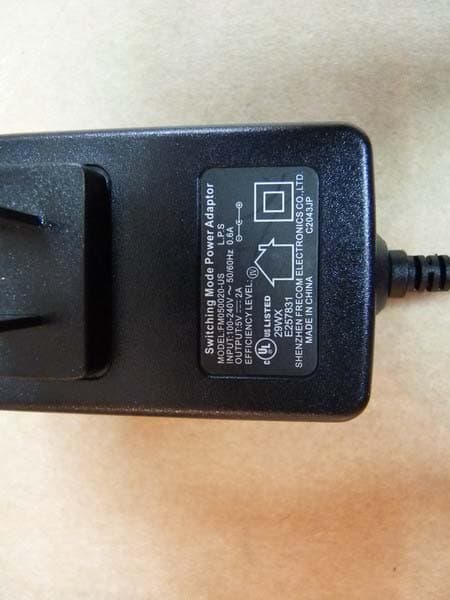
External Photos
Registration number: W6M20704-7982-C-1 FCC ID: RXZ-WP61RL ETS Dr. Genz Taiwan PS Co., Ltd. Pictures External Photos Registration number: W6M20704-7982-C-1 FCC ID: RXZ-WP61RL ETS Dr. Genz Taiwan PS Co., Ltd. Registration number: W6M20704-7982-C-1 FCC ID: RXZ-WP61RL ETS Dr. Genz Taiwan PS Co., Ltd. Registration number: W6M20704-7982-C-1 FCC ID: RXZ-WP61RL ETS Dr. Genz Taiwan PS Co., Ltd. Registration number: W6M20704-7982-C-1 FCC ID: RXZ-WP61RL ETS Dr. Genz Taiwan PS Co., Ltd.
Internal Photos
Registration number: W6M20704-7982-C-1 FCC ID: RXZ-WP61RL ETS Dr. Genz Taiwan PS Co., Ltd. Internal Photos Registration number: W6M20704-7982-C-1 FCC ID: RXZ-WP61RL ETS Dr. Genz Taiwan PS Co., Ltd. Registration number: W6M20704-7982-C-1 FCC ID: RXZ-WP61RL ETS Dr. Genz Taiwan PS Co., Ltd.
Test Report
of Applicant: Pro-Nets Technology Corporation Address: 7F, No.95, Lide St, Chung Ho City Taipei 235 Taiwan R.O.C Tested and Prepared by ETS DR. GENZ TAIWAN PS CO., LTD FCC Registration No.: 930600 Industry Canada filed test laboratory Reg. No. IC 5679 A2LA Cert.No.: 2300.01 PTCRB Accredited Type Certification Test House FCC ID: RXZ-WP61RL 6F, NO. 58, LANE 188, RUEY-KUANG RD., NEIHU TAIPEI 114, TAIWAN, R.O.C. TEL: 886-2-66068877 FAX: 886-2-66068879 E-mail: [email protected] Report No.: W6M20704-7982-C-1 FCC TESTREPORT for WIRELESS PCI CARD Model No.: WP61RL Registration number: W6M20704-7982-C-1 FCC ID: RXZ-WP61RL ETS Dr.Genz Taiwan PS Co., Ltd. 1 of 29 TABLE OF CONTENTS 1GENERAL INFORMATION ................................................................................................... 2 1.1 NOTES................................................................................................................................... 2 1.2 T ESTING LABORATORY......................................................................................................... 3 1.2.1Location ....................................................................................................................... 3 1.2.2Details of accreditation status ..................................................................................... 3 1.3 DETAILS OF APPROVAL HOLDER............................................................................................ 3 1.4 APPLICATION DETAILS.......................................................................................................... 4 1.5 GENERAL INFORMATION OF TEST ITEM................................................................................. 4 1.6 T EST STANDARDS.................................................................................................................. 5 2TECHNICAL TEST .................................................................................................................. 6 2.1 SUMMARY OF TEST RESULTS................................................................................................. 6 2.2 TEST ENVIRONMENT.............................................................................................................. 6 2.3 TESTEQUIPMENT LIST.......................................................................................................... 7 2.4 GENERAL TESTPROCEDURE................................................................................................. 9 3TEST RESULTS (ENCLOSURE).......................................................................................... 11 3.1 P EAKOUTPUT POWER (TRANSMITTER) ............................................................................... 12 3.2 EQUIVALENT ISOTROPIC RADIATED POWER......................................................................... 14 3.2.1Transmitter................................................................................................................. 14 3.3 RF EXPOSURE COMPLIANCE REQUIREMENTS..................................................................... 14 3.4 T RANSMITTER RADIATEDEMISSIONS IN RESTRICTED BANDS............................................. 15 3.5 SPURIOUSEMISSIONS(TX) .................................................................................................. 16 3.6 MINIMUM 6 DBBANDWIDTH.............................................................................................. 21 3.7 P EAKPOWER SPECTRAL DENSITY....................................................................................... 22 3.8 R ADIATEDEMISSION FROM DIGITALPARTANDRECEIVER L.O. ........................................ 23 3.9 P OWER LINE CONDUCTED EMISSION.................................................................................. 27 A PPENDIX....................................................................................................................................... 29 Registration number: W6M20704-7982-C-1 FCC ID: RXZ-WP61RL ETS Dr.Genz Taiwan PS Co., Ltd. 2 of 29 1 General Information 1.1 Notes The purpose of conformity testing is to increase the probability of adherence to the essential requirements or conformity specifications, as appropriate. The complexity of the technical specifications, however, means that full and thorough testing is impractical for both technical and economic reasons. Furthermore, there is no guarantee that a test sample which has Passed all the relevant tests conforms to a specification. Neither is there any guarantee that such a test sample will interwork with other genuinely open systems. The existence of the tests nevertheless provides the confidence that the test sample possesses the qualities as maintained and that is performance generally conforms to representative cases of communications equipment. The test results of this test report relate exclusively to the item tested as specified in 1.5. The test report may only be reproduced or published in full. Reproduction or publication of extracts from the report requires the prior written approval of the ETS DR. GENZ TAIWAN PS CO., LTD. Specific Conditions: Usage of the hereunder tested device in combination with other integrated or external antennas requires at least additional output power measurements, spurious emission measurements, conducted emission measurements (AC supply lines) and radio frequency exposure evaluations for each individual configuration performed, for certification by FCC. The test sample is able to work according IEEE 802.11 b/g. This report is related to FCC Part 15 C (DSSS and OFDM device). Tester: April 20, 2007 Jay Chaing Date ETS-Lab. Name Signature Technical responsibility for area of testing: April 20, 2007 Steven Chuang Date ETS Name Signature Registration number: W6M20704-7982-C-1 FCC ID: RXZ-WP61RL ETS Dr.Genz Taiwan PS Co., Ltd. 3 of 29 1.2 Testing laboratory 1.2.1 Location OATS No.5-1, Shuang Sing Village, LiShuei Rd., Wanli Township, Taipei County 207, Taiwan (R.O.C.) Com…
Text truncated - open the document above for the full version.
Test Setup Photos
Registration number: W6M20704-7982-C-1 FCC ID: RXZ-WP61RL ETS Dr. Genz Taiwan PS Co., Ltd. Set Up Photo of Radiated Emission EMI mode Registration number: W6M20704-7982-C-1 FCC ID: RXZ-WP61RL ETS Dr. Genz Taiwan PS Co., Ltd. RF mode Registration number: W6M20704-7982-C-1 FCC ID: RXZ-WP61RL ETS Dr. Genz Taiwan PS Co., Ltd. Set Up Photo of Conducted Emission
Contact Information
Applicant
Alex Chen(R & D DIRECTOR)
Technical Contact
ETS Dr. Genz Taiwan PS CO., LTD.Steven Chuang
[email protected]+886-2-6606-8877
6F., No. 58, Lane 188, Ruey Kuang Rd., Neihu · Taipei · Taiwan
Non-Technical Contact
ETS Dr. Genz Taiwan PS CO., LTD.Fisher Su
[email protected]+886-2-6606-8877
Test Firm
Worldwide Testing Services (Taiwan) Co. Ltd.Chang Tse-Ming
Technical Specifications
| # | Rule Parts | Frequency Range | Power Output |
|---|---|---|---|
| 1 | 15C | 2.41 GHz - 2.46 GHz | 40.50 mW |
Other Applications from Pro-Nets Technology Corporation
RXZ-WR861R
Jun 01, 2011Wireless Router
Equipment Class
DTS - Digital Transmission System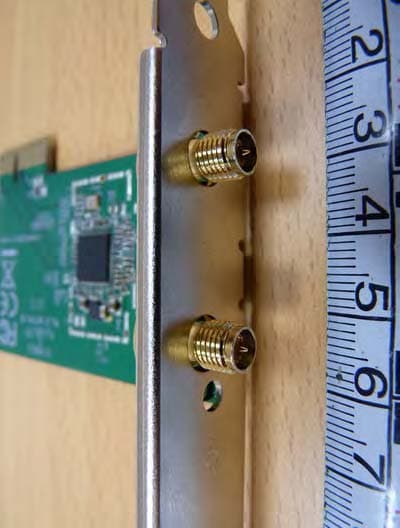
RXZ-WPE81R
Apr 20, 2011Wireless PCIE Card
Equipment Class
DTS - Digital Transmission System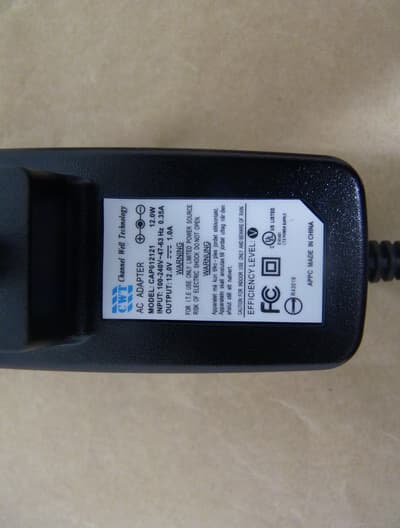
RXZ-WA45R1
Feb 01, 2011Wireless ADSL Router
Equipment Class
DTS - Digital Transmission System
RXZ-WU71R
Dec 06, 2010Wireless USB Dongle
Equipment Class
DTS - Digital Transmission System
RXZ-WP82RL
Oct 24, 2010Wireless PCI Card
Equipment Class
DTS - Digital Transmission System