V7TW316R150Mbps Wireless‐N Router
SHENZHEN TENDA TECHNOLOGY CO., LTD.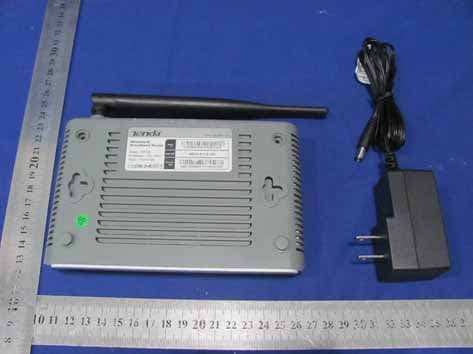
Click to zoom
Application Details
- Equipment Class
- DTS - Digital Transmission System
- Date of Grant
- Sep 06, 2011
- Application Purpose
- Original Equipment
- Date of Application
- Sep 06, 2011
- Equipment Note
- 150Mbps Wireless‐N Router
- Frequency Range
- 2422.00000000 - 2452.00000000
- Country
- China
Documents & Files
Document Text
Text extracted from the exhibit documents filed with the FCC. Open a document above to read the original.
Users Manual
11N Wireless Broadband Router User Guide 1 Wireless-N Broadband Router W316R Notice RF Exposure Statement To maintain compliance with FCC’s RF Exposure guidelines, This equipment should be installed and operated with minimum distance between 20cm the radiator your body: Use only the supplied antenna. 11N Wireless Broadband Router User Guide 2 Copyright Statement is the registered tr ademark of Shenzhen Tenda Technology Co., Ltd. All the products and product names men tioned herei n are the tr ademarks or registered t rademarks of thei r respecti ve holders. Copyright of the whole product as integration, including its accessories and software, belongs to Shenzhen Tenda Technology Co., Ltd. Without the permission of Shenzhen Tenda Technology Co., Ltd, any individual or party is not allowed to copy, plagiarize, reproduce or translate it into other languages. All the photos and product specifications mentioned in this manual are for references only. Upgrades of software and hardware may occur, and if there are changes, Tenda is not responsible for notifying in advance. If you would like to know more about our product information, please visit our website at www.tenda.cn. 11N Wireless Broadband Router User Guide 3 11N Wireless Broadband Router User Guide 4 11N Wireless Broadband Router User Guide 5 11N Wireless Broadband Router User Guide 1 Chapter 1 Product Introduction Thank y ou for purchasing the T enda W316R Wireless Broadband Router! This easy -to-use router provi des si mple configuration interface which enables you to configure it with ease. It i s based on the l atest IEEE802. 11n standard, and is backward compatible with devices of IEEE802.11b/g standards. The W316Rincluding router, wireless AP, four-port switch and fi rewall in oneprovides powerful online monitor function and supports URL filter and MAC filter. With WDS function, it can repeat and amplify wireless signals so as to enlarge network coverage area. It truly supports UPnP and WMM to make your audio and video smoother. With QoS function, it can efficiently distribute the downloading rate for the clients. Additionally, with super compatibility, the r outer can break the access limits in some areas so that mul tiple computers can share the Internet access. 11N Wireless Broadband Router User Guide 2 1.1 Package Contents Please verify the fol lowing items after you open the package: ¾ One W316R Wireless Broadband Router ¾ One Quick Installation Guide ¾ One Power Adapter ¾ One Software CD If any of the l isted i tems are mi ssing or damag ed, please contact the T enda resel ler for immediate replacement. 1.2 LED Indicators and Port Description Panel and LED indicators show: 11N Wireless Broadband Router User Guide 3 LED indicator description on the front panel Back panel port show 11N Wireless Broadband Router User Guide 4 Back panel port description 11N Wireless Broadband Router User Guide 5 Chapter 2 Product Installation 1. Please use only the included power adapter to power your router. (NOTE: Use of an unmatched power adapter could cause damage to this product). 2. Pl ease connect the router ’s LA N port to your computer with an Ethernet cable as shown below. 11N Wireless Broadband Router User Guide 6 3. Please connect your broadband line provided by your ISP to the router’s WAN port. 4. Insert the included software CD into the CD drive of your computer . After t he software automati cally initiates, double click the “Setup” icon and follow the instructions to complete the i nstallation. You can also enter the router ’s Web-based Utility to compl ete the configuration. 11N Wireless Broadband Router User Guide 7 Chapter 3 How to configure to access the Internet 3.1 How to Set the Network Configurations Network Configurations under windows XP 1. Right click “My Network Places” on your computer desktop and select “Properties”. 2. Right click “Local Area Connection” and sel ect “Properties”. 11N Wireless Broadband Router User Guide 8 3. S elect “Internet Pro tocol (TCP/IP)” and click “Properties”. 4. Select “Obtain an IP address automatically” and 11N Wireless Broadband Router User Guide 9 “Obtain D NS ser ver addr ess automatically”. Click “OK” to save the configurations. Or select “Use the following IP address” and enter the IP addr ess, Subnet mask, Defaul t gatewa y a s follows: ¾ IP Address: 192.168.0.XXX: (XXX is a number from 2~254) ¾ Subnet Mask: 255.255.255.0 ¾ Gateway: 192.168.0.1 ¾ DNS se rver: You s hould in put t he DNS s erver address provided by your ISP. Otherwise, you can enter 1 92.168.0.1. Cli ck “OK” to save the configurations. 11N Wireless Broadband Router User Guide 10 Network Configurations under windows 7 1. Click the network icon on the l ower right corner of your computer desktop, and then click” Open Network and Sharing Center”. 11N Wireless Broadband Router User Guide 11 2. Click “Change adapter settings” on the left side of the window. 3. Ri ght click “Local Area Connecti on” and sel ect “Properties”. 11N Wireless Broadband Router User Guide 12 4. Double click” Internet Protocol Version 4(TCP/IPv4)". 11N Wireless Broadband Router User Guide 13 5. Select “Obtain an IP address automatically” and “Obtain D NS ser ver addr ess automatically”. Click “OK” to save the configurations. Or select “Use the following IP address” and enter the IP addr ess, S ubnet mask, D efault gatewa y as follows: 11N Wireless Broadband Router User Guide 14 ¾ IP Address: 192.168.0.XXX: (XXX is a number from 2~254) ¾ Subnet Mask: 255.255.255.0 ¾ Gateway: 192.168.0.1 ¾ DNS se rver: You s hould in put t he DNS s erver address provided by your ISP. Otherwise, you can enter 1 92.168.0.1. Cli ck “OK” to save the configurations. 3.2 Log in to the Router 1. To access the R outer’s Web-based Utility, launch a web browser such as Internet Explorer or Firefox and enter http://192.168.0.1. Press “Enter”. 11N Wireless Broadband Router User Guide 15 2. Type “admin” in the “Password” field. Click “OK”. 3. If you enter the correct password,…
Text truncated - open the document above for the full version.
Block Diagram
55 44 33 22 11 D D C C B B A A 1.2V 2.5V 3.3VLNA LAN1~4 10/100Mbps MDI/MDIX Inter POR LPF 1X5 Transformer DC9V0.6A SDRAMx14Mx16 BCM5356 2.4GHz RX0 Reset&WPS Button Inter Regulator+ PNP 2.4GHz RX0 SPDT Switch Option Reset Inter Regulator+ MOS +IND Status LED 25MHzXTAL WAN W316R V0.11 3.3V SPIFLASH1MB Reset SPI INTER PATX Out AntennaConnector Step-DownRegulator 2.4GHz TX0 1_Cover Page TENDA LAN2 LAN1 WAN WAN Reset&WPS POWER SYSWPS LAN1~4 WLAN DC LAN4 2 Layer PCB LAN3 0.11 W316R V0.11 B 17 Tuesday, October 12, 2010 TitleSize Document Number Rev Date: Sheet of
Cover Letter(s)
SCS-F18: Project and Product Certification Representative Authorization Letter Page 1 of 2 Rev 2.0 2206 Ringwood Avenue San Jose, CA 95131 Tel: 408-526-1188 Fax: 408-526-1088 Email: [email protected] Project and Product Certification Representative Authorization Letter Revision History Reason for Amendment (current / obsolete) From To Approved Date Initial Release (current) 1.0 1.0 Nov-14-2006 Revised wording (current) 1.0 2.0 Sept–25-2007 SCS-F18: Project and Product Certification Representative Authorization Letter Page 2 of 2 Rev 2.0 SHENZHEN TENDA TECHNOLOGY CO., LTD 2011-8-12 To: SIEMIC, INC. 2206 Ringwood Avenue, San Jose, CA 95131 USA Dear Sir/Madam, Re: Project and Product Certification Representative Authorization Letter We, SHENZHEN TENDA TECHNOLOGY CO., LTD hereby authorize SIEMIC, INC. to act as a Certification Body for certifying for the following project(s): (150Mbps Wireless‐N Router, W316R) We affirm that between SIEMIC and SHENZHEN TENDA TECHNOLOGY CO., LTD any difference in understanding, including test plan, measurement methods, applicable standards and relevant procedures and processes have been resolved prior to commencement of testing activities. Sincerely, Liao bin/ Engineer E-mail: : [email protected] Phone: 86-755-27657068 Fax: 86-755-27657178 Address : Tenda Industrial Park, No. 34-1, Shilong Rd., Shiyan Town, Bao'an District, Shenzhen, China 518108
Cover Letter(s)
SHENZHEN TENDA TECHNOLOGY CO., LTD Date: 2011-08-12 To: Federal Communications Commission 7435 Oakland Mills Road Columbia, MD FCC ID: V7TW316R To Whom It May Concern: This letter is to ascertain that SHENZHEN TENDA TECHNOLOGY CO., LTD, 150Mbps Wireless‐N Router has been the units used for conducting FCC compliance testing, the DoC part will be tested by FCC recognized test lab. If you have any question or concerns, pls. contact us. Sincerely, Liao bin/ Engineer E-mail: : [email protected] Phone: 86-755-27657068 Fax: 86-755-27657178 Address : Tenda Industrial Park, No. 34-1, Shilong Rd., Shiyan Town, Bao'an District, Shenzhen, China 518108
External Photos
External of EUT
ID Label/Location Info
FCC ID Label FCC ID: V7TW316R Model number: W316R Made in China This device complies with Part 15 of the FCC Rules. Operation is subject to the following two conditions: (1) this device may not cause harmful interference, and (2) this device must accept any interference received, including interference that may cause undesired operation
ID Label/Location Info
Label Location Proposed Label Location on EUT
Internal Photos
Internal of EUT Antenna WiFi Module
RF Exposure Info
RF EXPOSURE EVALUATION According to FCC 1.1310: The criteria listed in the following table shall be used to evaluate the environment impact of human exposure to radio frequency(RF) Radiation as specified in §1.1307(b) Limits for Maximum Permissible Exposure(MPE) Frequency Range(MHz) Electric Field Strength(V/m) Magnetic Field Strength(A/m) Power Density(mW/cm 2 ) Average Time (A) Limits for Occupational/Control Exposures 300-1500 -- -- F/300 6 1500-100000 -- -- 5 6 (B) Limits for General Population/Uncontrol Exposures 300-1500 -- -- F/1500 6 1500-100000 -- -- 1 30 11.1 Friis transmission formula: Pd=(Pout*G)\(4*pi*R 2 ) Where Pd= Power density in mW/cm 2 Pout=output power to antenna in mW G= gain of antenna in linear scale Pi=3.1416 R= distance between observation point and center of the radiator in cm Pd the limit of MPE, 1mW/cm 2 . If we know the maximum gain of the antenna and total power input to the antenna, through the calculation, we will know the distance where the MPE limit is reached. 11.2 Measurement Result Antenna gain: 5 dBi 802.11b Channel Channel Frequency (MHz) Output Peak power (dBm) Output Peak power (mW) Antenna Gain (dBi) Power density at 20cm (mW/ cm 2 ) Power density Limits (mW/cm 2 ) 1 2412.00 10.5 11.22 5 0.007 1 6 2437.00 10.46 11.12 5 0.007 1 11 2462.00 10.47 11.14 5 0.007 1 802.11g Channel Channel Frequency (MHz) Output Peak power (dBm) Output Peak power (mW) Antenna Gain (dBi) Power density at 20cm (mW/ cm 2 ) Power density Limits (mW/cm 2 ) 1 2412.00 12.67 18.49 5 0.012 1 6 2437.00 12.73 18.75 5 0.012 1 11 2462.00 12.55 17.99 5 0.011 1 802.11n HT20 Channel Channel Frequency (MHz) Output Peak power (dBm) Output Peak power (mW) Antenna Gain (dBi) Power density at 20cm (mW/ cm 2 ) Power density Limits (mW/cm 2 ) 1 2412.00 12.3 16.98 5 0.011 1 6 2437.00 12.17 16.48 5 0.010 1 11 2462.00 12.3 16.98 5 0.011 1 802.11n HT40 Channel Channel Frequency (MHz) Output Peak power (dBm) Output Peak power (mW) Antenna Gain (dBi) Power density at 20cm (mW/ cm 2 ) Power density Limits (mW/cm 2 ) 3 2422.00 12.36 17.22 5 0.011 1 6 2437.00 12.15 16.41 5 0.010 1 9 2452.00 12.27 16.87 5 0.011 1
Schematics
55 44 33 22 11 D D C C B B A A 0 Little Indian 0 ST Serialflash MIPS CLOCK 0 -- 133:133:133 0 SDRAM 1 DDRAM LAN4 Port LED Mark SECU LED Reset/WPS PBC Wireless ACT LEDSystem LEDPower LED SMD LED LAN1 Port LEDLAN2 Port LEDLAN3 Port LEDWAN Port LED 2_Connector&LED TENDA 0.11 W316R V0.11 B 27 Tuesday, October 12, 2010 TitleSize Document Number Rev Date: Sheet of GPIO_0GPIO_1SET_OP_GPIO2WPSLED_GPIO3GPIO_6GPIO_7GPIO_8GPIO_9GPIO_10GPIO_16GPIO_17UART_RXUART_TX GPIO_16GPIO_17RF_SW_CTRL_P0 GND SET_OP_GPIO2 GPIO_9GPIO_1GPIO_6GPIO_10GPIO_8GPIO_7GPIO_0 WPSLED_GPIO3 RF_SW_CTRL_N0 UART_RXUART_TX RF_SW_CTRL_N0RF_SW_CTRL_P0 GPIO5 VDD3_3 VDD3_3 VDD3_3 VDD3_3 M3 NI 1 1 S1 6*6*7.3mm,SIDE, 带支架 , 开关头为方形 ;LF 1 3 2 4 R9 330R-J-0402;LF M1 NI 1 1 TP1 R8 330R-J-0402;LF R7 330R-J-0402;LF HH4 R1 10K-J-0402,LF/NC R210K-J-0402,LF C1 0.1uF-K-0402-X7R-16V,LF R11 330R-J-0402;LF TP5 JP2 1234 D6 绿光 , 高亮 ,SMD0603,LF TP2 HH3 R13 330R-J-0402;LF D4 绿光 , 高亮 ,SMD0603,LF HH2 R3 10K-J-0402,LF/NC HH1 D1 绿光 , 高亮 ,SMD0603,LF TP3 D3 绿光 , 高亮 ,SMD0603,LF ANT4 TP6 ANT2 R6 330R-J-0402;LF M4 NI 1 1 R4 10K-J-0402,LF/NC ANT1 D9 绿光 , 高亮 ,SMD0603,LF ANT3 TP4 U1C BCM5356KFBG,Broadcom,FBGA349;LF G22 F22 B18A19A18B17A17B16A16B15A15B14A14B13A13B12 T1T2 N2N1 G21K1M2L2L1M1 GPIO_0GPIO_1GPIO_2GPIO_3GPIO_4GPIO_5GPIO_6GPIO_7GPIO_8GPIO_9GPIO_10GPIO_11GPIO_12GPIO_13GPIO_14GPIO_15GPIO_16GPIO_17UART_RXUART_TX EJTAG_TAP_SEL JTAG_TRST_L TMS TDI TDO TCK M2 NI 1 1 M6 NI 1 1 R10 330R-J-0402;LF D5 绿光 , 高亮 ,SMD0603,LF R14 330R-J-0402;LF D8 绿光 , 高亮 ,SMD0603,LF M5 NI 1 1 R54.7K-J-0402,LF D2 绿光 , 高亮 ,SMD0603,LF R12 330R-J-0402;LF D7 绿光 , 高亮 ,SMD0603,LF 55 44 33 22 11 D D C C B B A A LAN WAN TENDA 3_Magnetic 0.11 W316R V0.11 B 37 Tuesday, October 12, 2010 TitleSize Document Number Rev Date: Sheet of EPHY_PLLVDDEPHY_AVDDBIAS_VDD PORT4_TDPPORT4_TDNPORT4_RDPPORT4_RDNPORT3_TDPPORT3_TDNPORT3_RDPPORT3_RDNPORT2_TDPPORT2_TDNPORT2_RDPPORT2_RDNPORT1_TDPPORT1_TDNPORT1_RDPPORT1_RDNPORT0_TDPPORT0_TDNPORT0_RDPPORT0_RDN EPHY_AVDDEPHY_PLLVDD BIAS_VDD V_CTR PORT0_TDN P1_TDP P0_RDNP2_TDN PORT2_TDP P3_RDN P1_RDP PORT1_RDN P1_TDN P0_RDN P2_TDP P3_RDPP2_RDN P3_TDN PORT3_RDN P1_RDN PORT4_RDP P3_RDP PORT2_RDPPORT2_TDNPORT0_RDN P3_TDN PORT1_TDN P4_TDN P0_TDP P2_TDNP1_TDN PORT4_TDNPORT0_TDP P3_RDN PORT1_RDP P1 P3_TDPP4_RDP P2_RDN P2_RDPP4_RDP P0_RDP P1_RDNP3_TDP PORT3_RDP P2_TDPP0_TDNP0_TDP PORT3_TDPPORT1_TDP P4_RDN PORT0_RDP P2_RDP P0_TDNP4_TDN P1_RDP PORT4_TDP WP0 PORT3_TDN P4_TDP P0_RDPP1_TDP PORT2_RDNPORT4_RDN P4_TDPP4_RDN P1WP0 PORT0_RDNPORT0_TDPPORT0_RDPPORT0_TDNPORT1_RDNPORT1_RDPPORT1_TDNPORT1_TDP PORT3_TDPPORT2_RDNPORT2_RDPPORT3_TDNPORT2_TDNPORT3_RDPPORT2_TDPPORT3_RDN PORT4_TDNPORT4_RDNPORT4_TDPPORT4_RDP VDD1_2 VDD1_2VDD2_5 VDD2_5 V_CTR GND 600R-100M-0603;1.5A;LF L2 C3 0.1uF-K-0402-X7R-16V,LF C25 10PF-J-0402-NPO-50V,walsin;LF C8 0.1uF-K-0402-X7R-16V,LF C44 10uF-Z-0805-Y5V-10V,LF C13 1000PF-K-1206-X7R-2KV,LF U1D BCM5356KFBG,Broadcom,FBGA349;LF W6 W15W14 W8W5W4W7W9 AB11AA11AB12AA12AB10AA10AB9AA9AB7AA7AB8AA8AB6AA6AB5AA5AB3AA3AB4AA4 ATESTVSSPLLVDDPLLRDACEPHY_AVDD1P2EPHY_AVDD1P2EPHY_PLLVDD1P2BIAS_VDD2P5 TDP4 TDN4 RDP4 RDN4 TDP3 TDN3 RDP3 RDN3 TDP2 TDN2 RDP2 RDN2 TDP1 TDN1 RDP1 RDN1 TDP0 TDN0 RDP0 RDN0 C29 10PF-J-0402-NPO-50V,walsin;LF R18 1.24K-F-0402,LF C42 0.1uF-K-0402-X7R-16V,LF C28 10PF-J-0402-NPO-50V,walsin;LF C33 10PF-J-0402-NPO-50V,walsin;LF R22 75R-J-0402;LF R15 75R-J-0402;LF/NC C4 2.2uF-Z-0603-Y5V-10V,LF C31 10PF-J-0402-NPO-50V,walsin;LF R25 75R-J-0402;LF/NC C27 10PF-J-0402-NPO-50V,walsin;LF R26 75R-J-0402;LF R27 75R-J-0402;LF/NCR28 75R-J-0402;LF/NC C30 10PF-J-0402-NPO-50V,walsin;LF C35 10PF-J-0402-NPO-50V,walsin;LF R17 75R-J-0402;LF/NCR30 75R-J-0402;LF/NC C5 0.1uF-K-0402-X7R-16V,LF C7 0.1uF-K-0402-X7R-16V,LF C36 10PF-J-0402-NPO-50V,walsin;LF C37 10PF-J-0402-NPO-50V,walsin;LF C22 10PF-J-0402-NPO-50V,walsin;LF U3 H7201DG/MNC;DIP60;LF 132456789 101112131415161718192021222324252627282930 313233343536373839404142434445464748495051525354555657585960 RJ45-4*1 U2 8P4C 全塑单层四联体; 58.43*15.2*13mm ; SIDE ; LF 123456789 1011121314151617181920212223242526272829303132 3433 A1A2A3A4A5A6A7A8B1B2B3B4B5B6B7B8C1C2C3C4C5C6C7C8D1D2D3D4D5D6D7D8 NCNC C15 10uF-Z-0805-Y5V-10V,LF C11 0.1uF-K-0402-X7R-16V,LF C10 0.1uF-K-0402-X7R-16V,LF C39 10PF-J-0402-NPO-50V,walsin;LF C23 10PF-J-0402-NPO-50V,walsin;LFC38 10PF-J-0402-NPO-50V,walsin;LF C12 0.1uF-K-0402-X7R-16V,LF C18 0.1uF-K-0402-X7R-16V,LF C16 0.1uF-K-0402-X7R-16V,LF U4 4C 蓝色单体; 15.2*15.2*13mm ; SIDE ; LF 12345678 910 RX_D+RX_D-TX_D+BI_D1+BI_D1-TX_D-BI_D2+BI_D2- GG R16 75R-J-0402;LFR19 75R-J-0402;LF R23 75R-J-0402;LF/NC 600R-100M-0402;0.5A;LFL1 C14 1000PF-K-1206-X7R-2KV,LF C21 10PF-J-0402-NPO-50V,walsin;LF 600R-100M-0805;2A;LF L5 C43 10uF-Z-0805-Y5V-10V,LF C410.1uF-K-0402-X7R-16V,LF 600R-100M-0402;0.5A;LFL3 C34 10PF-J-0402-NPO-50V,walsin;LF C191nF-K-0402-X7R-50V,LFC171nF-K-0402-X7R-50V,LF C40 2.2uF-Z-0603-Y5V-10V,LF 600R-100M-0603;1.5A;LF L4 C9 0.1uF-K-0402-X7R-16V,LF C20 10PF-J-0402-NPO-50V,walsin;LF C2 10uF-Z-0805-Y5V-10V,LF C32 10PF-J-0402-NPO-50V,walsin;LF R29 75R-J-0402;LF/NC C24 10PF-J-0402-NPO-50V,walsin;LF C45 0.1uF-K-0402-X7R-16V,LF C6 2.2uF-Z-0603-Y5V-10V,LF C26 10PF-J-0402-NPO-50V,walsin;LF R20 75R-J-0402;LF/NC R24 75R-J-0402;LF R21 75R-J-0402;LF/NC 55 44 33 22 11 D D C C B B A A TENDA 4_Power&Ground 0.11 W316R V0.11 B 47 Tuesday, October 12, 2010 TitleSize Document Number Rev Date: Sheet of VDD3_3VDD1_2VDD3_3 VDD2_5 VDD3_3 VDD3_3VDD1_2 C58 0.1uF-K-0402-X7R-16V,LF C62 1nF-K-0402-X7R-50V,LF C50 0.1uF-K-0402-X7R-16V,LF C47 0.1uF-K-0402-X7R-16V,LF C59 0.1uF-K-0402-X7R-16V,LF U1F BCM5356KFBG,Broadcom,FBGA349;LF L10L11L12L13L14L15L16L17 M17 N6N7N8 M9 M10M11M12M13M14M15M16 N17 P6P7P8 N9 N10N11N12N13 AB13 K7K8K9J10J11J12J13J14J15J16J17G12G13G14G15G16G17H7H8H9A1C2D1D2E2F2G1G2G4H4H6J6K6L6A9B9D9F9G9 VSSVSSVSSVSSVSSVSSVSSVSSVSSVSSVSSVSSVSSVSSVSSVSSVSSVSSVSSVSSVSSVSSVSSVSSVSSVSSVSSVSSVSSVSS VSSVSSVSSVSSVSSVSSVSSVSSVSSVSSVSSVSSVSSVSSVSSVSSVSSVSSVSSVSSVSSVSSVSSVSSVSSVSSVSSVSSVSSVSSVSSVSSVSSVSSVSSVSSVSSVSSVSS C51 10uF-K-0805-X7R-16V,LF C460.1uF-K-0402-X7R-16V,LF…
Text truncated - open the document above for the full version.
Test Setup Photos
RADIATED EMISSION TEST CONDUCTED EMISSION TEST
Contact Information
Applicant
Shen Yue(Engineer)
Test Firm
EMTEK (Shenzhen) Co., Ltd.David Lee
Technical Specifications
| # | Rule Parts | Frequency Range | Power Output |
|---|---|---|---|
| 2 | 15C | 2.42 GHz - 2.45 GHz | 17.22 mW |
Other Applications from SHENZHEN TENDA TECHNOLOGY CO., LTD.
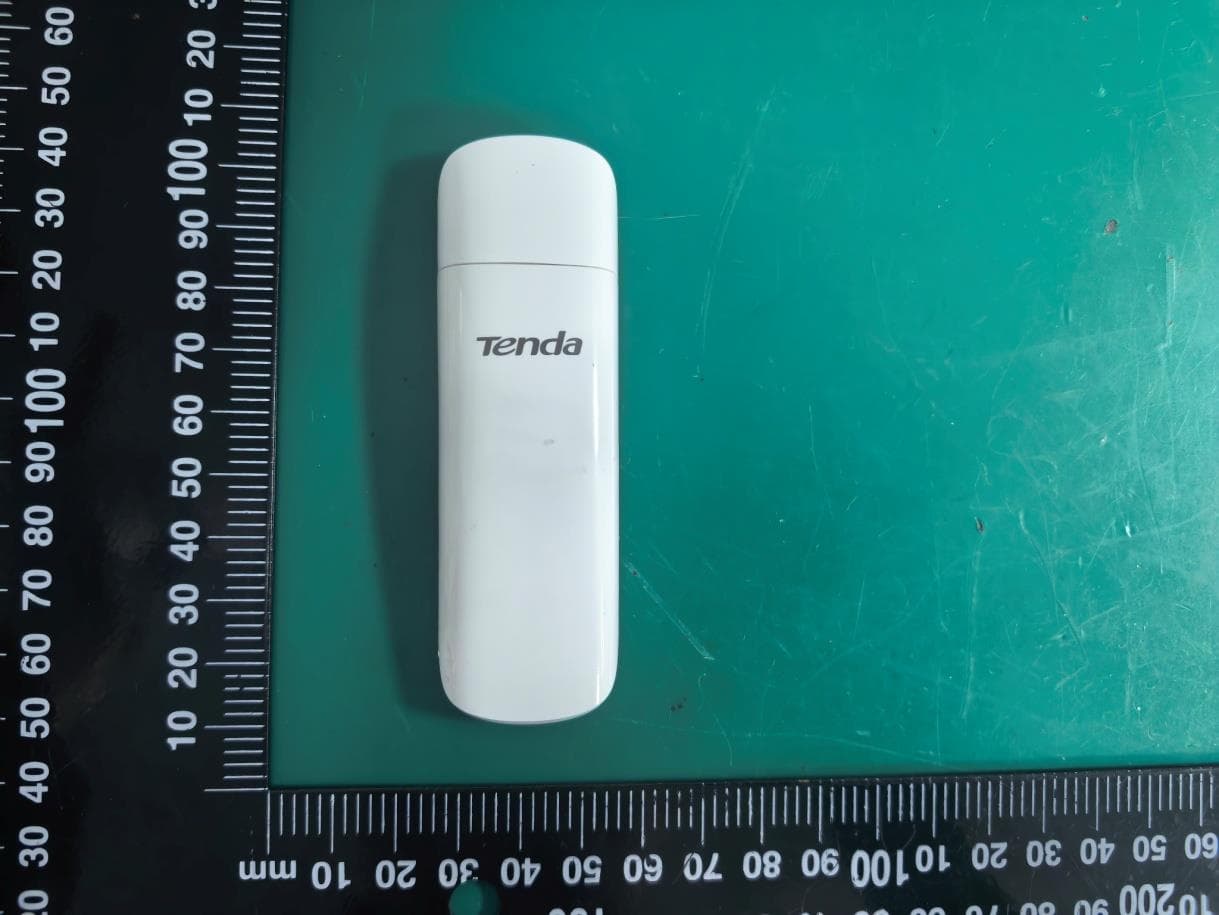
V7TU18V3
Aug 26, 2026AX1800 Wi-Fi 6 Dual-Band USB Adapter
Equipment Class
NII - Unlicensed National Information Infrastructure TX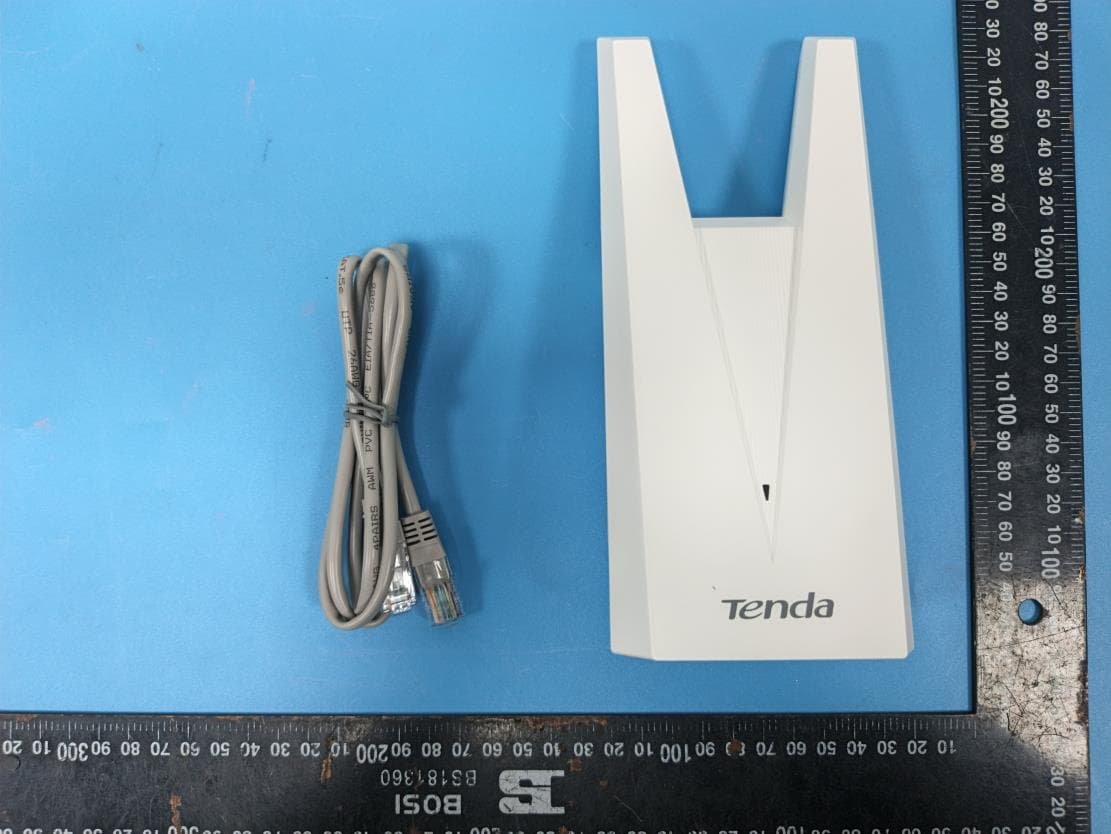
V7TA33V2
Aug 25, 2026AX3000 Dual-Band Gigabit Wi-Fi Range Extender, AX1800 Dual-Band Gigabit Wi-Fi Range Extender
Equipment Class
DTS - Digital Transmission System
V7TCH9V2
Jul 20, 20266MP Dual-lens Linkage Wi-Fi Pan/Tilt Camera
Equipment Class
DTS - Digital Transmission System
V7TCH3V21
Jul 14, 20263MP Wi-Fi Pan/Tilt Camera
Equipment Class
DTS - Digital Transmission System
V7TCP3P1
Jun 30, 20263MP Security Pan/Tilt Camera
Equipment Class
DTS - Digital Transmission System