V7TW322UHV3300Mbps Wireless N USB Adapter
SHENZHEN TENDA TECHNOLOGY CO., LTD.
Click to zoom
Application Details
- Equipment Class
- DTS - Digital Transmission System
- Date of Grant
- Jul 07, 2012
- Application Purpose
- Original Equipment
- Date of Application
- Jul 07, 2012
- Equipment Note
- 300Mbps Wireless N USB Adapter
- Frequency Range
- 2422.00000000 - 2452.00000000
- Country
- China
Documents & Files
Document Text
Text extracted from the exhibit documents filed with the FCC. Open a document above to read the original.
Users Manual
11N Wireless USB Adapter User Guide -- 1 -- 300Mbps Wireless N USB Adapter W322U 11N Wireless USB Adapter User Guide -- 1 -- Copyright Statement is the registered trademark of Shenzhen Tenda Technology Co., Ltd. All the products and product names mentioned herein are the trademarks or registered trademarks of their respective holders. Copyright of the whole product as integration, including its accessories and software, belongs to Shenzhen Tenda Technology Co., Ltd. Without the permission of Shenzhen Tenda Technology Co., Ltd, any individual or party is not allowed to copy, plagiarize, imitate or translate it into other languages. All the photos and product specifications mentioned in this guide are for references only. As the upgrade of software and hardware, there will be changes. And if there are changes, Tenda is not responsible for informing in advance. If you want to know more about our product information, please visit our website at www.tenda.cn . 11N Wireless USB Adapter User Guide -- 2 -- Table of Content Chapter 1 Introduction ........................................ 3 1.1 Product Feature ....................................... 4 1.2 Product Deployment ................................. 5 1.3 Indicator Description ................................ 6 1.4 Package Contents ..................................... 6 Chapter 2 Installation Guide ................................. 7 Chapter 3 Client Utility Interface ......................... 12 3.1 Station Mode ......................................... 13 3.1.1 Station Mode Topology ...................... 13 3.1.2 Status ............................................ 14 3.1.3 Site Survey ..................................... 15 3.1.4 Profile Management .......................... 16 3.1.5 Statistics ......................................... 18 3.1.6 WPS Setting .................................... 18 3.2 AP Mode ............................................... 20 3.2.1 AP Mode Topology ............................ 20 3.2.2 Basic Setting ................................... 21 3.2.3 Security Setting ............................... 22 3.2.4 Access Control ................................. 23 3.2.5 About ............................................. 25 Appendix One: Acronyms and Terms ................... 26 Appendix Two: Product Specification .................... 29 Appendix Three: How to connect with PSP ............ 30 11N Wireless USB Adapter User Guide -3- Chapter 1 Introduction W322U utilizes the latest wireless networking technology, IEEE802.11n (Draft 2.0), and can be greatly compatible backwards with 802.11b/g standards, Provides 300Mbps receiving rate and 300Mbps sending rate, which multiples wireless transmission range and reduces “dead spots” in the wireless coverage area. Soft AP supported by W322U can help you establish wireless LAN networking fastly. Besides, WPS (Wi-Fi Protected Setup) encryption methods can free you from remembering the long passwords. Moreover, complete WMM support makes your voice and video more smooth. Especially supporting PSP, NDS and WII connections with Xlink Kai will be your best choice to enjoy on-line gaming. All in all, W322U is a cost-effective Wireless-N USB Adapter with high-performance and further wireless coverage. 11N Wireless USB Adapter User Guide -4- 1.1 Product Feature • Complies with IEEE 802.11n (Draft 2.0), IEEE 802.11g and IEEE 802.11b standards • Provides USB2.0 port • Provides 300Mbps receiving rate and 300Mbps sending rate • Supports 20MHz/40MHz frequency width • Auto-detects and changes the network transmission rate • Provides two work modes: Infrastructure and Ad-Hoc • Supports Soft AP to establish your wireless LAN networking • supports PSP, WII and NDS connecting with Internet and Xlink Kai to enjoy on-line gaming • Supports 64/128-bit WEP, WPA, WPA2 encryption methods and 802.1x security authentication standard • Supports WPS (Wi-Fi Protected Setup) encryption method to free you from remembering long passwords 11N Wireless USB Adapter User Guide -5- • Supports WMM to make your voice and video more smooth • Easy-to-install, plug and play 1.2 Product Deployment W322U Wireless USB Adapter offers fast, reliable and cost- effective solution for wireless access. Deployment as follows; • For staff who requires higher mobility in the office, they want to have access to traditional wired or wireless network in any place of the company; • Enterprise or individual who requires often changes in lay out of network cables; • Companies or places which are not suitable for LAN cable laying out because of budget or objective building, including places of great interests, rent places or places for short-term 11N Wireless USB Adapter User Guide -6- usage; • Company or individual who avoids using expensive cables, renting cables or renting rights for access. 1.3 Indicator Description In the front panel of W3111U, there is a LED indicator blinking when data communication is going on. 1.4 Package Contents Unpack the packets, and please find the following items: ¾ One W322U 11N Wireless USB Adapter ¾ One CD-ROM ¾ One Quick Installation Guide 11N Wireless USB Adapter User Guide -7- Chapter 2 Installation Guide This chapter is to assist you how to use the included CD-ROM which comprises the Setup Wizard and the Client Utility Interface. The following steps on Setup Wizard are taken the Windows XP as example. 1. Please insert the Wireless USB Adapter into the USB port of your computer. 2. “Found New Hardware” system dialogue appears, and selects “Cancel” to use the included Setup Wizard for fast installation; of course, you also can select “Next” to install by manual. 11N Wireless USB Adapter User Guide -8- 3. Inert the included CD-ROM into the CD-ROM drive of your computer, and the Welcome screen appears. (If not appear, double click the “Setup.exe” icon.) 11N Wireless USB Adapter User Guide -9- 4. Click “Enter”. 5. Click “Next” to start installing. 11N Wireless USB Adapter User Guide -10- 6. Click “Chang…
Text truncated - open the document above for the full version.
External Photos
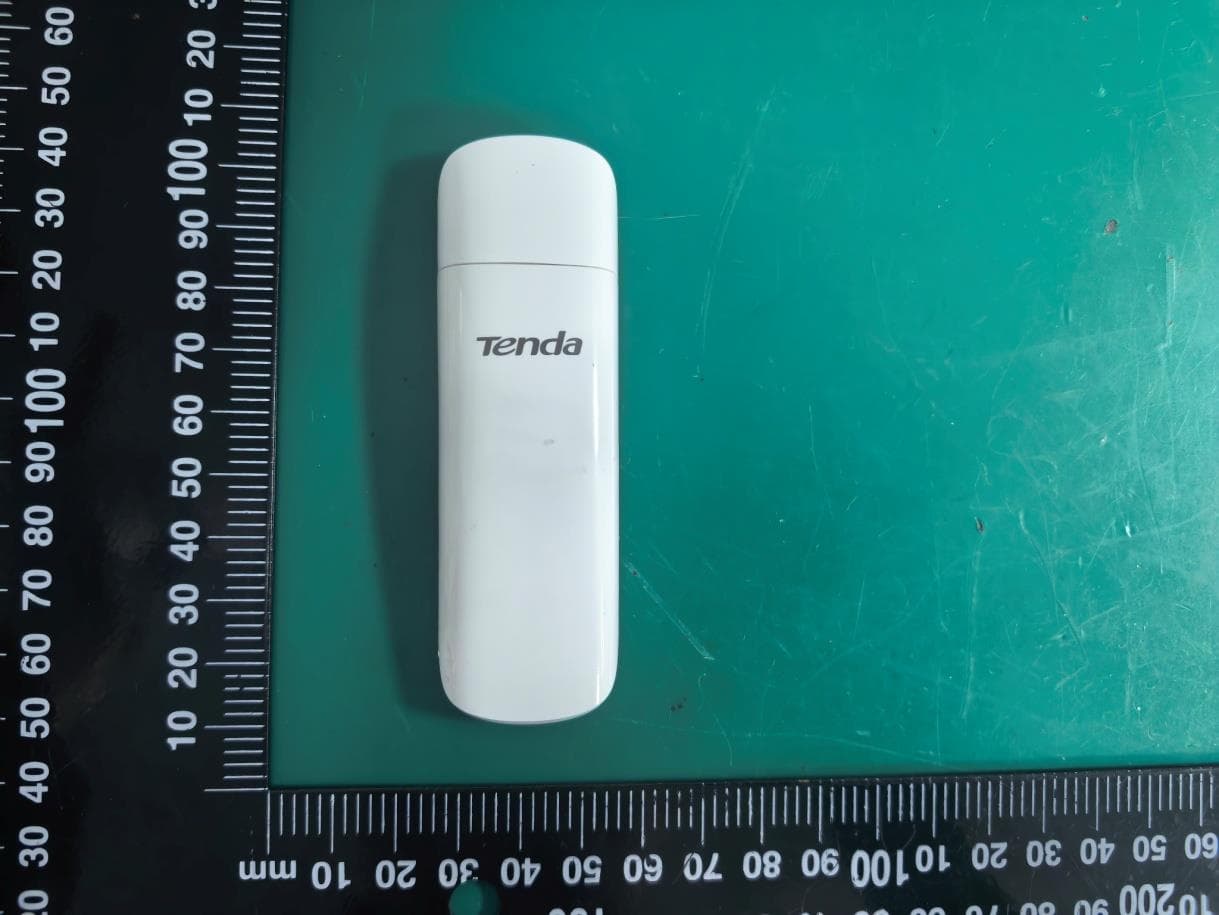
EXHIBIT B - EUT EXTERNAL PHOTOGRAPHS EUT –Top View EUT –Top Cap Off View EUT – Bottom View EUT –Right Side View EUT –Left Side View
ID Label/Location Info
EXHIBIT A - FCC ID LABELING AND LOCATION FCC ID Label Proposed FCC ID Label Location The label shown shall be permanently affixed at a conspicuous location on the device and be readily visible to the user at the time purchase (Labeling requirements per 2.925) Label Here
Internal Photos
EXHIBIT B - EUT EXTERNAL PHOTOGRAPHS EUT –Uncover View EUT – Main Board Bottom View Antenna EUT – Main Board Top View Antenna
Operational Description
This is a highly integrated Wireless LAN (WLAN) USB 2.0 network interface controller compatible with the IEEE 802.11n Draft specification 2.0. The Adapter baseband implements Orthogonal Frequency Division Multiplexing (OFDM) with two transmit and two receive paths (2T2R). Features include one spatial stream transmissions, short Guard Interval (GI) of 400ns, spatial spreading, and support for both 20MHz and 40MHz channel bandwidth. For legacy compatibility, Direct Sequence Spread Spectrum (DSSS), Complementary Code Keying (CCK) and OFDM baseband processing are included to support all IEEE 802.11b, and 802.11g data rates.Differential phase shift keying modulation schemes, DBPSK and DQPSK with data scrambling capability are available, and CCK provides support for legacy data rates, with long or short preamble. The high speed FFT/IFFT paths, combined with BPSK, QPSK, 16QAM, and 64QAM modulation of the individual subcarriers, and rate compatible punctured convolutional coding with coding rate of 1/2, 2/3, 3/4, and 5/6,provide the higher data rates of 54Mbps and 300Mbps for IEEE 802.11g and 802.11n OFDM respectively The Adapter supports 802.11e for multimedia applications, 802.11i for security, and 802.11n for enhanced MAC protocol efficiency. Using packet aggregation techniques such as A-MPDU with BA and A-MSDU, protocol efficiency is significantly improved. Power saving mechanisms such as U-APSD, and APSD, and power saving reduces power wasted during idle time, and compensates for the extra power required to transmit OFDM. The Adapter provides simple legacy and 20MHz/40MHz co-existence mechanisms to ensure backward and network compatibility.
Test Report
Note: This test report is prepared for the customer shown above and for the equipment described herein. It may not be duplicated or used in part without prior written consent from Bay Area Compliance Laboratories Corp. This report must not be used by the customer to claim product certification, approval, or endorsement by NVLAP*, or any agency of the Federal Government. * This report contains data that are not covered by the NVLAP accreditation and are marked with an asterisk “★” (Rev.2) FCC PART 15.247 TEST REPORT For SHENZHEN TENDA TECHNOLOGY CO.,LTD. Tenda Industrial Park, No. 34-1, Shilong Rd., Shiyan Town, Bao'an District, Shenzhen, P.R.China Report Type: Original Report Product Type: 300Mbps Wireless N USB Adapter Test Engineer: Allen Qiao Report Number: R1DG120628002-00 Report Date: 2012-07-06 Reviewed By: Ivan Cao EMC Engineer Prepared By: Bay Area Compliance Laboratories Corp. (Shenzhen) 6/F, the 3rd Phase of WanLi Industrial Building, ShiHua Road, FuTian Free Trade Zone Shenzhen, Guangdong, China Tel: +86-755-33320018 Fax: +86-755-33320008 www.baclcorp.com.cn FCC ID: V7TW322UHV3 Bay Area Compliance Laboratories Corp. (Shenzhen) Report No.: R1DG120628002-00 FCC Part 15.247 Page 2 of 72 TABLE OF CONTENTS GENERAL INFORMATION.......................................................................................................................................4 PRODUCT DESCRIPTION FOR EQUIPMENT UNDER TEST (EUT) .....................................................................................4 OBJECTIVE...................................................................................................................................................................4 RELATED SUBMITTAL(S)/GRANT(S).............................................................................................................................4 TEST METHODOLOGY..................................................................................................................................................4 TEST FACILITY.............................................................................................................................................................5 SYSTEM TEST CONFIGURATION ..........................................................................................................................6 DESCRIPTION OF TEST CONFIGURATION......................................................................................................................6 EUT EXERCISE SOFTWARE..........................................................................................................................................6 EQUIPMENT MODIFICATIONS.......................................................................................................................................6 SUPPORT EQUIPMENT...................................................................................................................................................7 BLOCK DIAGRAM OF TEST SETUP................................................................................................................................8 SUMMARY OF TEST RESULTS...............................................................................................................................9 FCC §15.247 (i) & §1.1307 (b) (1) & §2.1093- RF EXPOSURE...................................................................................10 APPLICABLE STANDARD............................................................................................................................................10 FCC §15.203 - ANTENNA REQUIREMENT...........................................................................................................11 APPLICABLE STANDARD............................................................................................................................................11 ANTENNA CONNECTOR CONSTRUCTION....................................................................................................................11 FCC §15.207 (a) – AC LINE CONDUCTED EMISSIONS .....................................................................................12 APPLICABLE STANDARD............................................................................................................................................12 MEASUREMENT UNCERTAINTY..................................................................................................................................12 EUT SETUP................................................................................................................................................................12 EMI TEST RECEIVER SETUP.......................................................................................................................................13 TEST PROCEDURE......................................................................................................................................................13 TEST EQUIPMENT LIST AND DETAILS.........................................................................................................................13 TEST RESULTS SUMMARY..........................................................................................................................................13 TEST DATA................................................................................................................................................................13 FCC §15.209, §15.205 & §15.247(d) - SPURIOUS EMISSIONS.............................................................................16 APPLICABLE STANDARD............................................................................................................................................16 MEASUREMENT UNCERTAINTY..................................................................................................................................16 EUT SETUP..................................................…
Text truncated - open the document above for the full version.
Test Setup Photos
EXHIBIT D - TEST SETUP PHOTOGRAPHS Conducted Emissions - Front View Conducted Emissions – Rear View Radiated Emission -Front View Radiated Emission - Rear View Radiated Emission -Front View (Above 1 G) Radiated Emission - Rear View
Contact Information
Applicant
Shen Yue(Engineer)
Test Firm
Bay Area Compliance Laboratories Corp. (Dongguan)John Chan
[email protected]86-769-86858888
Technical Specifications
| # | Rule Parts | Frequency Range | Power Output |
|---|---|---|---|
| 4 | 15C | 2.42 GHz - 2.45 GHz | 13.90 mW |
Other Applications from SHENZHEN TENDA TECHNOLOGY CO., LTD.
V7TU18V3
Aug 26, 2026AX1800 Wi-Fi 6 Dual-Band USB Adapter
Equipment Class
NII - Unlicensed National Information Infrastructure TX
V7TA33V2
Aug 25, 2026AX3000 Dual-Band Gigabit Wi-Fi Range Extender, AX1800 Dual-Band Gigabit Wi-Fi Range Extender
Equipment Class
DTS - Digital Transmission System
V7TCH9V2
Jul 20, 20266MP Dual-lens Linkage Wi-Fi Pan/Tilt Camera
Equipment Class
DTS - Digital Transmission System
V7TCH3V21
Jul 14, 20263MP Wi-Fi Pan/Tilt Camera
Equipment Class
DTS - Digital Transmission System
V7TCP3P1
Jun 30, 20263MP Security Pan/Tilt Camera
Equipment Class
DTS - Digital Transmission System