Y38TE1210modlet gateway
ThinkEco, Inc.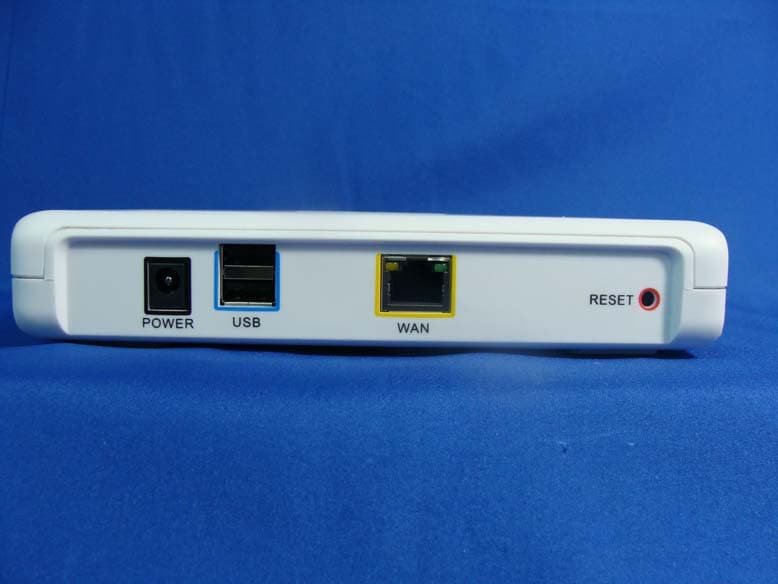
Click to zoom
Application Details
- Equipment Class
- DTS - Digital Transmission System
- Date of Grant
- Apr 19, 2012
- Application Purpose
- Original Equipment
- Date of Application
- Apr 17, 2012
- Equipment Note
- modlet gateway
- Frequency Range
- 2405.00000000 - 2480.00000000
- Company
- ThinkEco, Inc.
- Country
- United States
Documents & Files
Document Text
Text extracted from the exhibit documents filed with the FCC. Open a document above to read the original.
Users Manual
R User Guide Back View Hardware Top View Bottom View Wall mounts Front View WAN interface LED USB interface LEDs ZigBee interface LED Power LED Error LED Run LED AC/DC power supply RJ45/WAN connector 2 USB 2.0 connectors Reset button LED light overview Power LED: ON when AC/DC power supply is connected and modlet® gateway is powered ON. OFF when AC/DC power supply is not connected. To power on the modlet® gateway please verify the AC/DC adapter is properly connected. Run LED: OFF when the modlet® gateway is in IDLE mode Flashing when the modlet® gateway is in OPERATIVE mode Error LED: ON when the modlet® gateway is in ERROR mode. To restart the modlet® gateway press Reset Button on the back. If the modlet® gateway does not exit Error mode please unplug and replug the AC/DC adapter USB interface LEDs: ON when a USB device is connected to the modlet® gateway WAN interface LEDs (front and back): ON (Orange) when a 10/100 Mbps device is connected to the port. Flashing (Orange) when a 10/100 Mbps device is transmitting or receiving to the port. ON (Green) when a 1000 Mbps device is connected to the port. Flashing (Green) when a 1000 Mbps device is transmitting or receiving to the port. ZigBee interface LED: Flashing (Blue) when the imbedded ZigBee module is transmitting or receiving data. On (Blue) when the imbedded ZigBee module is in IDLE mode. Installation What you need to get started • 1 power cord (included) • 1 Ethernet cord (included) • IP address of your home/office router (user provides) To find your router’s IP address consult your router’s manual or contact the manufacturer INSTRUCTIONS 1. Plug in modlet gateway • Plug in the modlet gateway into an electrical outlet using the power cord provided. The green power LED light should turn on. • Then plug the gateway into your home or office router using the Ethernet cord provided. The WAN interface LED will be flashing and then become solid when connected. 2. Access your router’s information • Using an Internet-connected computer, open a new browser window (Internet Explorer, Firefox, Chrome or Safari). Type in the IP address of your router in your browser’s address bar and press enter. If you do not know the IP address of your router then consult the router’s user manual or contact the manufacturer. • Once you are connected to the router manager page, look on the left side of the screen for the “Attached Devices” link and click on it. • Under the list of Devices, look for the device named “THINKECO_GATEWAY”. Write down the IP address written to the left of the THINKECO_GATEWAY. • In your browser’s address bar, type in the IP address of the THINKECO_GATEWAY that you just wrote down and press enter. You will be directed to a ThinkEco page. 3. Register a modlet account • To create a new account, select the link that says “New User? Create an Account”. • Follow all on screen instructions to register an account. • On the last screen, click the “Go Back to Router Settings” button. You will be directed back to the ThinkEco page. 4. Set up your modlet(s) • Log into your account, using the username and password you just created. • Then follow all on screen instructions to set up your modlet(s). my router IP address: ThinkEco Gateway IP address: my username & password: If you are connected to the internet and logged into your account, but you’re not seeing the latest data, try these tips. 1. Check gateway Make sure your gateway is correctly connected • AC/DC adapter plugged in (POWER led ON) LAN cable plugged in (WAN led flashing) ZigBee module in operative mode (ZigBee led ON) • Next restart gateway Restart gateway from Web GUI if not successful please: press reset button and wait system restart if still not successful please: unplug and replug AC/DC power supply • Check the status of your gateway by clicking on the Modlet Network link in the top right of your screen and then clicking on USB Receiver. 2. Be patient When you first set up your network, or if your computer has been off for a while, the data may take a few minutes to load onto the interface. Check back in 15 minutes. 3. Refresh Try hitting the refresh button on the Energy Usage tab or your browser. 4. Verify parameters • Check the variables you selected for the graph: does the start and end date match when you plugged in your modlet? • Do you have at least one device selected? Click on the name of the devices you want to graph or select all to see total energy consumption. 5. Check devices • Check the status of your devices on the energy usage tab. A green light next to your device means it has reported data to your computer in the last 24 hours. • If the light is red, first restart you gateway. Next, verify your devices are labeled correctly and assigned to the correct outlet by clicking Modlet Network and then Modlets. For more troubleshooting information, call the modlet tech support center at 1-800-682-0152. Troubleshooting Modlet® gateway PACKING LIST • 1 modlet gateway TE1210 • 1 Cable Ethernet, 6FT min • 1 AC/DC Power supply, 110V/240V Input, 12V/1A output ThinkEco modlet® gateway Thank you for purchasing your new modlet® gateway! For more information and to learn about your modlet® gateway please visit www.themodlet.com. Please read all user guides/manuals provided to you (in both paper and electronic form) including in the software downloaded in connection with the usage of this device and all operating and safety instructions. If you fail to do so this product may not function properly and may lead to damage to the product and to other danger. modlet® gateway Specifications • ZigBee (IEEE 802.15.4) wireless communication • Power source: 12V DC Important Safety Information: Use indoors in a dry location. Contains non-user serviceable parts; do not open. This product is not a toy. Do not allow children to operate it. Regulatory Information: Installation and use of this device must be in strict accordance with the instructions included in the user documentation provided with…
Text truncated - open the document above for the full version.
Cover Letter(s)
ThinkEco Inc. 148 Madison Avenue, 8th Floor, New York, NY, United States,10016 TEL No: 212-684-2959 FAX No.: N/A Attestation for FCC Declaration of Conformity FCC ID: Y38TE1210 Data: Apr. 12, 2012 Please be notified that we, the undersigned, ThinkEco Inc. .declares that the product which bears the above FCC ID is also compliant with the FCC requirements for DoC. The test report number supporting the DoC is DOCTR0001 (124197R-RFUSP24V02). Testing in regards to this report was done by QuieTek Corporation, located at 2F, No.345, Xinhu 2nd Rd., Neihu District,, Taipei Taiwan, which has been accredited in accordance to all of the requirements of 47CFR 2.948 (d) and (e) of the FCC rules and KDB349827. Sincerely, Ben Burns, Senior Product Engineer ThinkEco Inc. Tel: 212-684-2959 Fax: N/A Email: [email protected]
External Photos
Report No.: 124197R-RFUSP42V01 Page : 1 of 15 Attachment 2 : EUT Detailed Photographs (1) EUT Photo (2) EUT Photo Report No.: 124197R-RFUSP42V01 Page : 2 of 15 (3) EUT Photo (4) EUT Photo Report No.: 124197R-RFUSP42V01 Page : 3 of 15 (5) EUT Photo (6) EUT Photo
ID Label/Location Info
ThinkEco Inc. FCC ID.: Y38TE1210 148 Madison Avenue, 8th Floor, New York, NY, United States,10016.Tel : 212-684-2959 The FCC ID Label will be placed on the equipment as shown in the photograph below.
ID Label/Location Info
ThinkEco Inc. FCC ID.: Y38TE1210 148 Madison Avenue, 8th Floor, New York, NY, United States,10016.Tel : 212-684-2959 FCC ID Label
Internal Photos
Report No.: 124197R-RFUSP42V01 Page : 4 of 15 (7) EUT Photo (8) EUT Photo Report No.: 124197R-RFUSP42V01 Page : 5 of 15 (9) EUT Photo (10) EUT Photo Report No.: 124197R-RFUSP42V01 Page : 6 of 15 (11) EUT Photo (12) EUT Photo Report No.: 124197R-RFUSP42V01 Page : 7 of 15 (13) EUT Photo (14) EUT Photo Report No.: 124197R-RFUSP42V01 Page : 8 of 15 (15) EUT Photo (16) EUT Photo Report No.: 124197R-RFUSP42V01 Page : 9 of 15 (17) EUT Photo (18) EUT Photo Report No.: 124197R-RFUSP42V01 Page : 10 of 15 (19) EUT Photo (20) EUT Photo Report No.: 124197R-RFUSP42V01 Page : 11 of 15 (21) EUT Photo (22) EUT Photo Report No.: 124197R-RFUSP42V01 Page : 12 of 15 (23) EUT Photo (24) EUT Photo Report No.: 124197R-RFUSP42V01 Page : 13 of 15 (25) EUT Photo (26) EUT Photo Report No.: 124197R-RFUSP42V01 Page : 14 of 15 (27) EUT Photo (28) EUT Photo Report No.: 124197R-RFUSP42V01 Page : 15 of 15 (29) EUT Photo (30) EUT Photo
RF Exposure Info
Report No. 124197R-RFUSP42V01 Page: 1 of 3 RF Exposure Evaluation declaration Product Name modlet gateway Model No. TE1210 FCC ID Y38TE1210 Applicant ThinkEco Inc. Address 148 Madison Avenue, 8th Floor, New York, NY, United States,10016 Date of Receipt Apr. 06, 2012 Date of Declaration Apr. 11, 2012 Report No. 124197R-RFUSP42V01 The declaration results relate only to the samples calculated. The declaration shall not be reproduced except in full without the written approval of QuieTek Corporation. This report must not be used to claim product endorsement by NVLAP any agency of the U.S. Government Report No. 124197R-RFUSP42V01 Page: 2 of 3 1. RF Exposure Evaluation 1.1. Limits According to FCC 1.1310: The criteria listed in the following table shall be used to evaluate the environment impact of human exposure to radio frequency (RF) radiation as specified in 1.1307(b) LIMITS FOR MAXIMUM PERMISSIBLE EXPOSURE (MPE) Frequency Range (MHz) Electric Field Strength (V/m) Magnetic Field Strength (A/m) Power Density (mW/cm 2 ) Average Time (Minutes) (A) Limits for Occupational/ Control Exposures 300-1500 -- -- F/300 6 1500-100,000 -- -- 5 6 (B) Limits for General Population/ Uncontrolled Exposures 300-1500 -- -- F/1500 6 1500-100,000 -- -- 1 30 F= Frequency in MHz Friis Formula Friis transmission formula: Pd = (Pout*G)/(4*Pi*R 2 ) Where Pd = power density in mW/cm 2 Pout = output power to antenna in mW G = gain of antenna in linear scale Pi = 3.1416 R = distance between observation point and center of the radiator in cm Pd id the limit of MPE, 1 mW/cm 2 . If we know the maximum gain of the antenna and the total power input to the antenna, through the calculation, we will know the distance r where the MPE limit is reached. 1.2. Test Procedure Software provided by client enabled the EUT to transmit and receive data at lowest, middle and highest channel individually. The temperature and related humidity: 18°Cand 78% RH. Report No. 124197R-RFUSP42V01 Page: 3 of 3 1.3. Test Result of RF Exposure Evaluation Product : modlet gateway Test Item : RF Exposure Evaluation Test Site : No.3 OATS Antenna Gain: The maximum Gain measured in fully anechoic chamber is 2.0 dBi in logarithm scale. Zigbee Output Power Into Antenna & RF Exposure Evaluation Distance (2.0 dBi): Channel Frequency (MHz) Output Power to Antenna (mW) Power Density at R = 20 cm (mW/cm2) 1 2405.00 1.3274 0.000419 9 2445.00 1.3243 0.000418 16 2480.00 0.6138 0.000194 Power density in column 4 is much lower than the limit (1 mW/cm 2 ).
Test Report
Report No.: 124197R-RFUSP42V01 Page : 1 of 3 Attachment 1: EUT Test Setup Photographs Front View of Conducted Test Back View of Conducted Test Report No.: 124197R-RFUSP42V01 Page : 2 of 3 Front View of Radiated Test Back View of Radiated Test Report No.: 124197R-RFUSP42V01 Page : 3 of 3 Front View of Radiated Test (Horn) Back View of Radiated Test (Horn)
Test Setup Photos
Report No.: 124197R-RFUSP42V01 Page : 1 of 3 Attachment 1: EUT Test Setup Photographs Front View of Conducted Test Back View of Conducted Test Report No.: 124197R-RFUSP42V01 Page : 2 of 3 Front View of Radiated Test Back View of Radiated Test Report No.: 124197R-RFUSP42V01 Page : 3 of 3 Front View of Radiated Test (Horn) Back View of Radiated Test (Horn)
Contact Information
Applicant
Peter Mayer(VP R&D)
Technical Contact
QuieTek CorporationVincent Lin
[email protected]886-2-8792-6808
2F, No.345, Xinhu 2nd Rd., Neihu · Taiwan
Non-Technical Contact
QuieTek CorporationSabina Chen
Test Firm
DEKRA TESTING AND CERTIFICATION CO., LTD.Warren Lin
Technical Specifications
| # | Rule Parts | Frequency Range | Power Output |
|---|---|---|---|
| 1 | 15C | 2.40 GHz - 2.48 GHz | 1.30 mW |
Other Applications from ThinkEco, Inc.
Y38TE5010
May 18, 2014TE5010, TE5011, TE5012, TE5013
Equipment Class
DTS - Digital Transmission System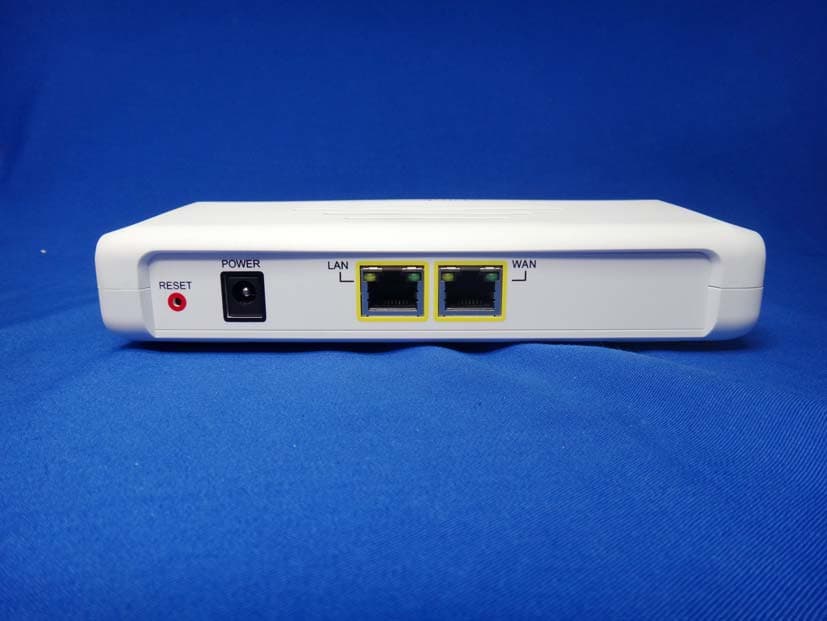
Y38TE1211M
Oct 23, 2013modlet gateway
Equipment Class
PCB - PCS Licensed Transmitter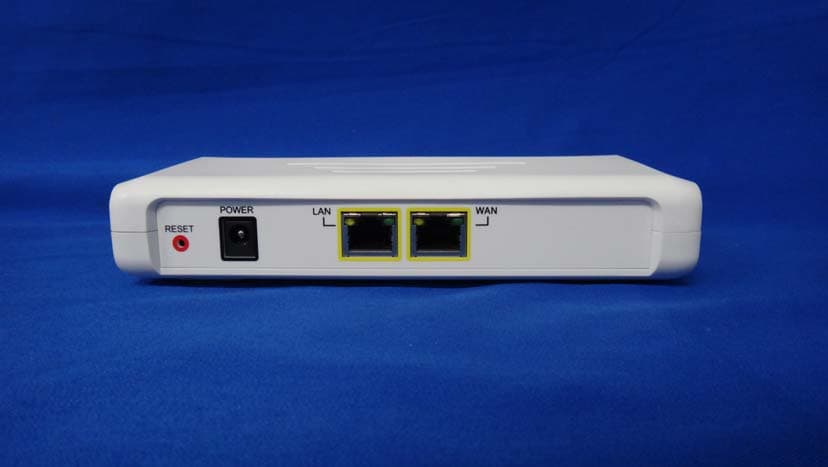
Y38TE1211E
Jun 19, 2013modlet gateway
Equipment Class
DTS - Digital Transmission System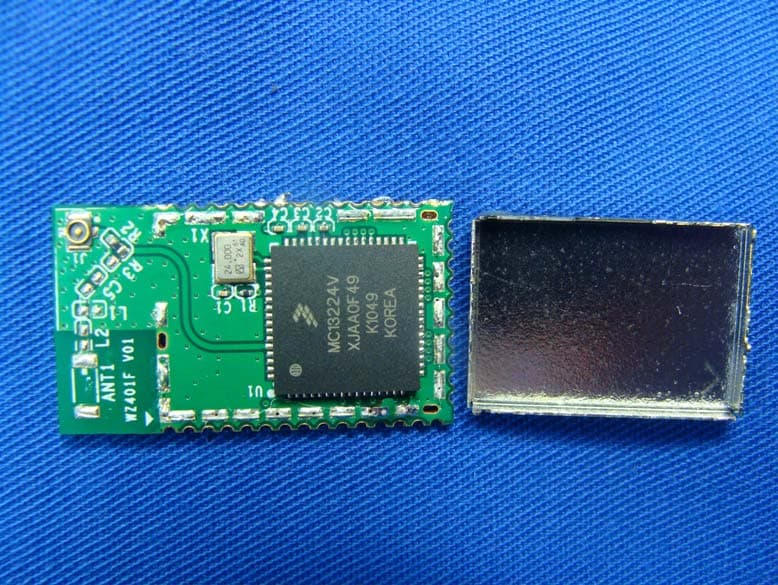
Y38TE7010
Mar 21, 2013modlet IQ
Equipment Class
DTS - Digital Transmission System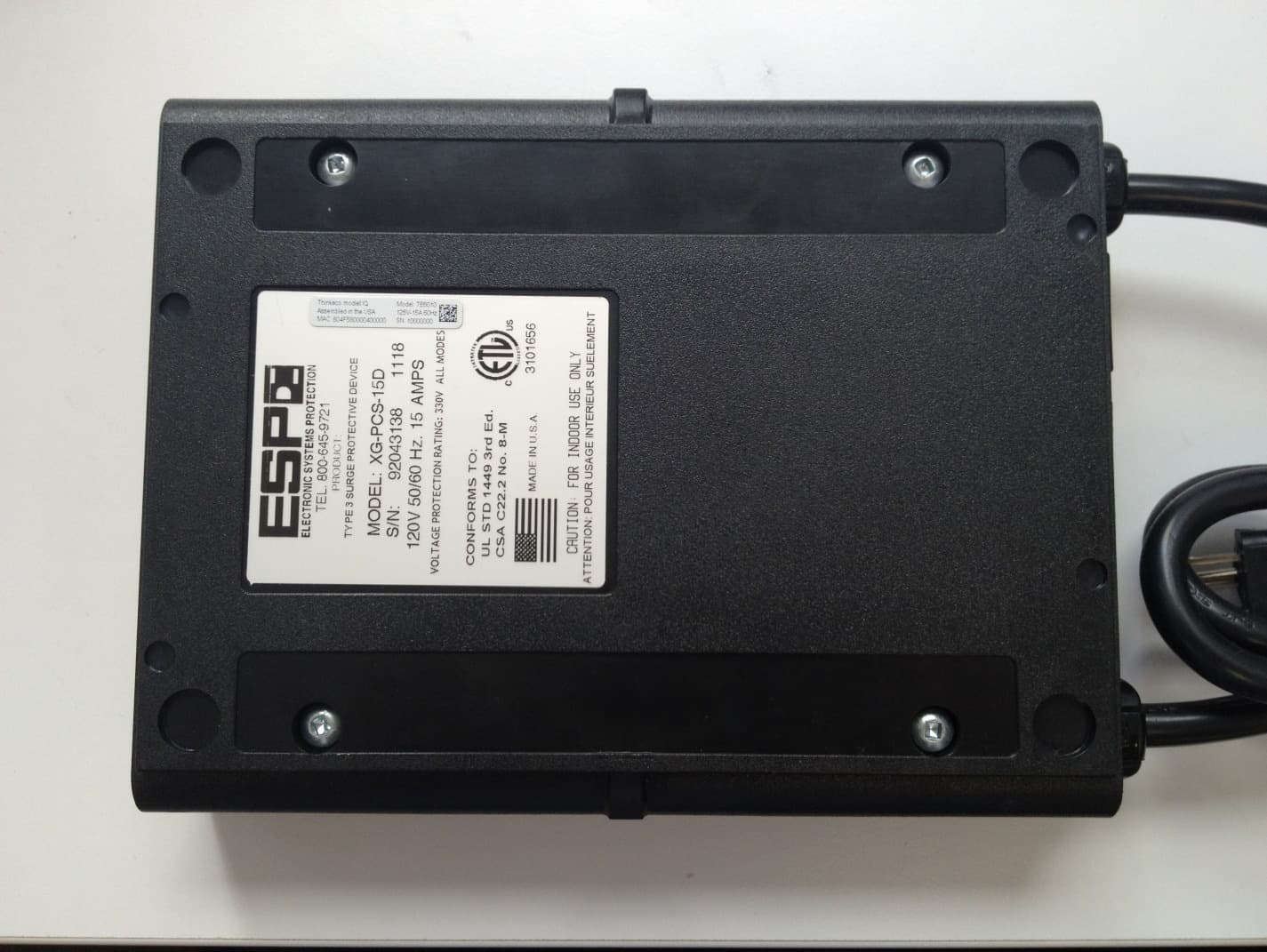
Y38TE6010
Jan 28, 2013TE6010
Equipment Class
DTS - Digital Transmission System