Z3AWA001Audio Relay
ARCTIC (HK) Ltd.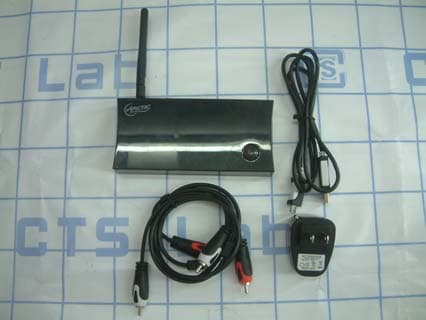
Click to zoom
Application Details
- Equipment Class
- JBP - Part 15 Class B Computing Device Peripheral
- Date of Grant
- Oct 20, 2011
- Application Purpose
- Original Equipment
- Date of Application
- Oct 20, 2011
- Equipment Note
- Audio Relay
- Company
- ARCTIC (HK) Ltd.
- Country
- China
Documents & Files
Document Text
Text extracted from the exhibit documents filed with the FCC. Open a document above to read the original.
Users Manual
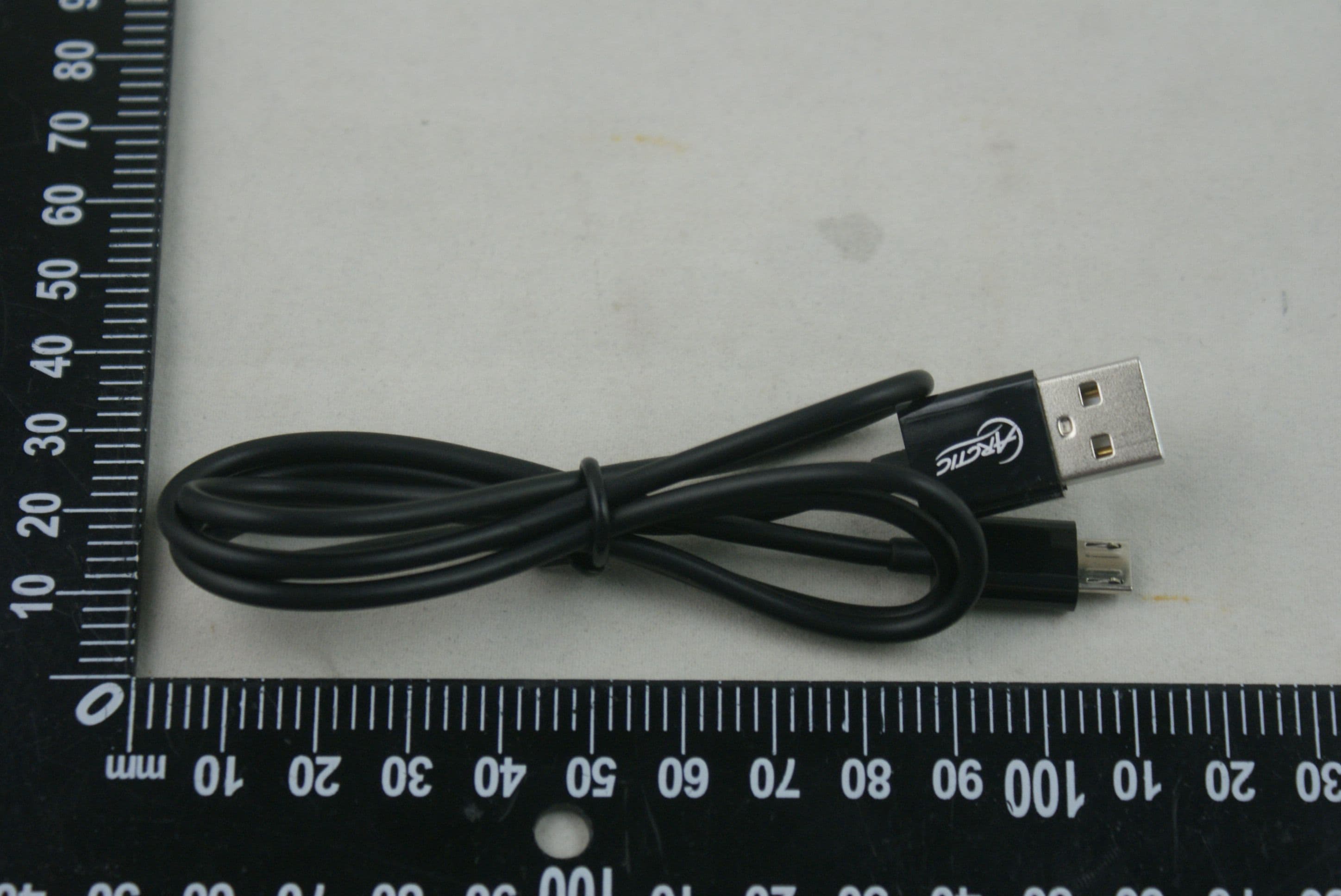
A. Via Ethernet Quick Start Guide Audio Relay Kurzanleitung: www.arctic.ac/fileadmin/audiorelay/manual_de.pdf Guide de démarrage rapide: www.arctic.ac/fileadmin/audiorelay/manual_fr.pdf Guía de inicio rápido: www.arctic.ac/fileadmin/audiorelay/manual_es.pdf Guia para Início Rápido: www.arctic.ac/fileadmin/audiorelay/manual_pt.pdf Snabbstartguide: www.arctic.ac/fileadmin/audiorelay/manual_se.pdf Stručný návod k rychlému použití: www.arctic.ac/fileadmin/audiorelay/manual_cz.pdf Gyors üzembe helyezési útmutató: www.arctic.ac/fileadmin/audiorelay/manual_hu.pdf Skrócona instrukcja obsługi: www.arctic.ac/fileadmin/audiorelay/manual_pl.pdf Gids Snel aan de slag: www.arctic.ac/fileadmin/audiorelay/manual_nl.pdf Краткое руководство по: www.arctic.ac/fileadmin/audiorelay/manual_ru.pdf Package Contents LIVING Interface 1. Stereo RCA Out Connection Diagram How to Connect Audio Relay to my Home Network Method 2: Power Button Steps: 1. Connect your Audio Relay to a power source and your speaker. 2. Switch on the Audio Relay. 3. Press the power button for 5 to 10 seconds (after the device has been switched on for at least 1 minute), the connection mode will switch to wireless and automatically reboot (it takes about 30 seconds). Please note, pressing again for 5 to 10 seconds will switch back to Ethernet connection mode. Note: The device will restore to factory settings with a long press (more than 15 seconds) on the power button. 2. Optical Out3. Mini USB Port4. USB 2.0 Host 5. Ethernet Port6. WPS Button7. Wi-Fi Antenna8. Power 8 2 3 7 5 1 Audio Relay x 1USB Power Adapter x 1Mini USB Cable x 1 Stereo RCA Cable x 1Wi-Fi Antenna x 1Quick Start Guide x 1 Computer Wi-Fi /Ethernet Router RCA / Optical Quick Start Guide Speakers Audio Relay Wi-Fi / Ethernet 4 B. Via Wi-Fi It takes TWO steps for you to successfully connect your Audio Relay to Wi-Fi. Please read carefully below and follow the instructions in I. and II. accordingly. Steps: 1. Connect your Audio Relay to your speaker. 2. Connect the network cable to the Ethernet port of the Audio Relay and LAN port of your router or switch. 3. Switch on the power of the Audio Relay. *To identify your Audio Relay on your computer, go to Windows Explorer, under Network, you will find “Arctic Wireless Speaker”, the default name by the factory settings. (Note: It works for Windows 7 only) Method 1: Web User Interface Steps: 1. Follow the steps in A. 2. In the Windows Explorer, right click on “Arctic Wireless Speaker” under Network and click “View device webpage” to enter the web user interface. 3. Under Connection Mode, choose Wireless, click Save/Apply. The Audio Relay will reboot (it takes about 30 seconds) in order to save the change. I. How to activate Wi-Fi on your Audio Relay II. How to connect your Audio Relay to existing Wi-Fi network Method 1: WPS Note: your router must have the WPS functionality. Steps: 1. Activate Wi-Fi on your Audio Relay by following the instructions above in B I. 2. Press the WPS button on the router and hold it for 3 seconds. 3. Press the WPS button at the back of the Audio Relay for 3 seconds. 4. Connection will then be realized automatically. On some routers, a blinking light may indicate that the connection is in progress, when connection is established, the light will stop blinking. 5. Since Wi-Fi connection is already established, remove the network cable accordingly. Method 2: Web User Interface Steps: 1. Activate Wi-Fi using Method 1 or Method 2. 2. If using Method 2, it will be necessary to know the IP address in advance. 3. Go to Connect to Wi-Fi, you will see the list of all Wireless networks available. Choose yours and enter the password (WEP or WPA key). Click Connect to activate. 4. Since Wi-Fi connection is already established, remove the network cable accordingly. Method 3: Windows Connect Now Note: Windows Connect Now is a function available in Windows XP SP2 and later version. The below instructions are applicable for Windows 7 users ONLY. Before continuing with network setup, please take note of the following information: All wireless features are set to operate in an open (unsecured) network. Please ensure no wireless security (including MAC filtering) is enabled on the target router. Please ensure the wireless radio and antennas are properly seated in their respective connectors. As a security precaution, the unit deletes the flash config information after association. Steps: 1. Activate Wi-Fi using Method 1 or Method 2. 2. Prepare a WCN USB flash drive. (For detailed instructions, please download the full manual on audiorelay.arctic.ac) 3. After the wireless configuration is copied to the USB flash drive, you can plug it into the Audio Relay and power it on. Please make sure the USB flash drive is inserted into the Audio Relay BEFORE the power is supplied to the unit. After that, you can examine the list of wirelessly-associated devices on the router table to ensure that the unit is associated with the router. 6 Configuration In the Windows Explorer, under Network, you will find “Arctic Wireless Speaker”. Right click on it and select “View device webpage”, the web user interface will then appear in a new browser window, where you can upgrade the firmware, configure the name for your speaker and the type of connection. © 2011 ARCTIC (HK) Ltd. All Rights Reserved. No part of this manual including the products described in it, may be reproduced, transmitted, stored in a retrieval system, or translated into any language in any form or by any means, except documentation kept by the purchaser for backup purpose, without the express written permission of ARCTIC (HK) Ltd. In no event shall ARCTIC its directors or employees be liable for any indirect damages, incidental or consequential damages arising from any defect or error in this manual or product. ARCTIC Switzerland Huobstrasse 4, 8808 Pfäffikon, Switzerland www.arctic.ac How to Stream Music to my Audio Relay To stream music on your computer to the Audio Relay, you …
Text truncated - open the document above for the full version.
External Photos
FCC ID:Z3AWA001 opyright of this report is owned by Centre of Testing Service and may not be reproduced other than in full except with the written approval of the issuing Company. CTS (Guangzhou) Testing Service Technology Co., Ltd. Building F, Dachuang industrial park, No.379, Zhongshan Dadao, Guangzhou, China Tel:+86-20-85543113 (32 lines) Fax:+86-20-38780406 Complaint line:+86-20-85533471 E-mail:[email protected] See Reverse For Terms And Conditions of Service Report No.: CGZ3110829-00717-E Page 1 of 2 1 External Photos of the EUT External view-front External view-base External view-side1 FCC ID:Z3AWA001 opyright of this report is owned by Centre of Testing Service and may not be reproduced other than in full except with the written approval of the issuing Company. CTS (Guangzhou) Testing Service Technology Co., Ltd. Building F, Dachuang industrial park, No.379, Zhongshan Dadao, Guangzhou, China Tel:+86-20-85543113 (32 lines) Fax:+86-20-38780406 Complaint line:+86-20-85533471 E-mail:[email protected] See Reverse For Terms And Conditions of Service Report No.: CGZ3110829-00717-E Page 2 of 2 External view-side2
ID Label/Location Info
FCC ID:Z3AWA001 opyright of this report is owned by Centre of Testing Service and may not be reproduced other than in full except with the written approval of the issuing Company. CTS (Guangzhou) Testing Service Technology Co., Ltd. Building F, Dachuang industrial park, No.379, Zhongshan Dadao, Guangzhou, China Tel:+86-20-85543113 (32 lines) Fax:+86-20-38780406 Complaint line:+86-20-85533471 E-mail:[email protected] See Reverse For Terms And Conditions of Service Report No.: CGZ3110829-00717-E Page 1 of 1 1 Label Label-1 2 Label Location Label-1 58.5mm 34.5mm
Internal Photos
FCC ID:Z3AWA001 opyright of this report is owned by Centre of Testing Service and may not be reproduced other than in full except with the written approval of the issuing Company. CTS (Guangzhou) Testing Service Technology Co., Ltd. Building F, Dachuang industrial park, No.379, Zhongshan Dadao, Guangzhou, China Tel:+86-20-85543113 (32 lines) Fax:+86-20-38780406 Complaint line:+86-20-85533471 E-mail:[email protected] See Reverse For Terms And Conditions of Service Report No.: CGZ3110829-00717-E Page 1 of 2 1 Internal Photos of the EUT Internal view PCB Layout PCB Solder FCC ID:Z3AWA001 opyright of this report is owned by Centre of Testing Service and may not be reproduced other than in full except with the written approval of the issuing Company. CTS (Guangzhou) Testing Service Technology Co., Ltd. Building F, Dachuang industrial park, No.379, Zhongshan Dadao, Guangzhou, China Tel:+86-20-85543113 (32 lines) Fax:+86-20-38780406 Complaint line:+86-20-85533471 E-mail:[email protected] See Reverse For Terms And Conditions of Service Report No.: CGZ3110829-00717-E Page 2 of 2 Module View-1
Test Report
CTS (GUANGZHOU) TESTING SERVICE TECHNOLOGY INTERNATIONAL OPERATE ACCORDING TO ISO/IEC 17025 FCC TEST REPORT TEST REPORT NUMBER : CGZ3110829-00717-E CTS (Guangzhou) Testing Service Technology Co., Ltd. Building F, Dachuang industrial park, No.379, Zhongshan Dadao, Guangzhou, China. FCC ID:Z3AWA001 opyright of this report is owned by Centre of Testing Service and may not be reproduced other than in full except with the written approval of the issuing Company. CTS (Guangzhou) Testing Service Technology Co., Ltd. Building F, Dachuang industrial park, No.379, Zhongshan Dadao, Guangzhou, China Tel:+86-20-85543113 (32 lines) Fax:+86-20-38780406 Complaint line:+86-20-85533471 E-mail:[email protected] See Reverse For Terms And Conditions of Service Report No.: CGZ3110829-00717-E Page 1 of 22 TEST REPORT FOR FCC 47 CFR PART 15 OCT, 2010 Radio frequency devices Report Reference No. ...................: CGZ3110829-00717-E Date of issue .................................... : 21 Oct. 2011 Testing Laboratory Name..............: CTS (Guangzhou) Testing Service Technology Co., Ltd. Address ............................................ : Building F, Dachuang industrial park, No.379, Zhongshan Dadao, Guangzhou, China. Testing location/ procedure.............. : Full application of Harmonised standards ■ Partial application of Harmonised standards □ Other standard testing method □ Applicant’s name ...........................: ARCTIC (HK) Ltd. Address ............................................ : Unit 2703-04, Nina Tower 2│8 Yeung Uk Road│Tsuen Wan│Hong Kong Test specification: Standard........................................... : 47 CFR PART 15 OCT, 2010 Test Report Form No. ....................: CTSEMC-1.0 TRF Originator.................................. : CTS (Guangzhou) Testing Service Technology Co., Ltd. Master TRF ...................................... : Dated 2009-01 CTS (Guangzhou) Testing Service Technology Co., Ltd.All rights reserved. This publication may be reproduced in whole or in part for non-commercial purposes as long as the CTS (Guangzhou) Testing Service Technology Co., Ltd. is acknowledged as copyright owner and source of the material. CTS (Guangzhou) Testing Service Technology Co., Ltd. takes no responsibility for and will not assume liability for damages resulting from the reader's interpretation of the reproduced material due to its placement and context. Test item description. ..................... Audio Relay Trade Mark .......................................: ARCTIC Manufacturer .................................... : ARCTIC (HK) Ltd. Model/Type reference ...................... : WA001 Ratings ............................................. : DC 5V BY ADAPTER Result ............................................... Positive Compiled by: Supervised by: Approved by: Violet Lee / File administrators Tom Xiao / Technique principal Vincent yao / Manager FCC ID:Z3AWA001 opyright of this report is owned by Centre of Testing Service and may not be reproduced other than in full except with the written approval of the issuing Company. CTS (Guangzhou) Testing Service Technology Co., Ltd. Building F, Dachuang industrial park, No.379, Zhongshan Dadao, Guangzhou, China Tel:+86-20-85543113 (32 lines) Fax:+86-20-38780406 Complaint line:+86-20-85533471 E-mail:[email protected] See Reverse For Terms And Conditions of Service Report No.: CGZ3110829-00717-E Page 2 of 22 FCC -- T E S T R E P O R T Test Report No. : CGZ3110829-00717-E 21 Oct. 2011 Date of issue Type / Model............................ WA001 EUT.......................................... Audio Relay Applicant.................................. ARCTIC (HK) Ltd. Address.................................... Unit 2703-04, Nina Tower 2│8 Yeung Uk Road│Tsuen Wan│Hong Kong Telephone................................ +852-3759 7622 Fax............................................ +852-2989 6055 Contact..................................... Gary Lau Manufacturer............................ ARCTIC (HK) Ltd. Address.................................... Unit 2703-04, Nina Tower 2│8 Yeung Uk Road│Tsuen Wan│Hong Kong Telephone................................ +852-3759 7622 Fax............................................ +852-2989 6055 Contact..................................... Gary Lau Test report holder.................... ARCTIC (HK) Ltd. Address.................................... Unit 2703-04, Nina Tower 2│8 Yeung Uk Road│Tsuen Wan│Hong Kong Telephone................................ +852-3759 7622 Fax............................................ +852-2989 6055 Contact..................................... Gary Lau Test Result according to the standards on page 3: Positive The test report merely corresponds to the test sample. It is not permitted to copy extracts of these test result without the written permission of the test laboratory. FCC ID:Z3AWA001 opyright of this report is owned by Centre of Testing Service and may not be reproduced other than in full except with the written approval of the issuing Company. CTS (Guangzhou) Testing Service Technology Co., Ltd. Building F, Dachuang industrial park, No.379, Zhongshan Dadao, Guangzhou, China Tel:+86-20-85543113 (32 lines) Fax:+86-20-38780406 Complaint line:+86-20-85533471 E-mail:[email protected] See Reverse For Terms And Conditions of Service Report No.: CGZ3110829-00717-E Page 3 of 22 TABLE OF CONTENTS Description Page 1 TEST STANDARDS.......................................................................................................................... 4 2 SUMMARY........................................................................................................................................ 4 2.1 GENERAL REMARKS ......................................................................................................................... 4 2.2 FINAL ASSESSMENT.......................................................................................................................... 4 3 EQUIPMENT UNDER…
Text truncated - open the document above for the full version.
Test Setup Photos
FCC ID:Z3AWA001 opyright of this report is owned by Centre of Testing Service and may not be reproduced other than in full except with the written approval of the issuing Company. CTS (Guangzhou) Testing Service Technology Co., Ltd. Building F, Dachuang industrial park, No.379, Zhongshan Dadao, Guangzhou, China Tel:+86-20-85543113 (32 lines) Fax:+86-20-38780406 Complaint line:+86-20-85533471 E-mail:[email protected] See Reverse For Terms And Conditions of Service Report No.: CGZ3110829-00717-E Page 1 of 2 1. TEST PHOTOGRAPHS 1.1. Photos of power line conducted emission measurement 1.2. Photos of radiated emission measurement RE Below 1GHz-1 FCC ID:Z3AWA001 opyright of this report is owned by Centre of Testing Service and may not be reproduced other than in full except with the written approval of the issuing Company. CTS (Guangzhou) Testing Service Technology Co., Ltd. Building F, Dachuang industrial park, No.379, Zhongshan Dadao, Guangzhou, China Tel:+86-20-85543113 (32 lines) Fax:+86-20-38780406 Complaint line:+86-20-85533471 E-mail:[email protected] See Reverse For Terms And Conditions of Service Report No.: CGZ3110829-00717-E Page 2 of 2 RE Below 1GHz-2 RE Above 1GHz-1 RE Above 1GHz-2
Contact Information
Applicant
Vincent Andre(Consumer Electronics Director)
Test Firm
Centre of Testing service Co., LtdVincent Yao
Technical Specifications
| # | Rule Parts | Frequency Range | Power Output |
|---|---|---|---|
| 1 | 15B | - | - |
Other Applications from ARCTIC (HK) Ltd.
Z3AP604BT
Dec 22, 2015Dynamic Bluetooth 4.0 Headphones
Equipment Class
DTS - Digital Transmission System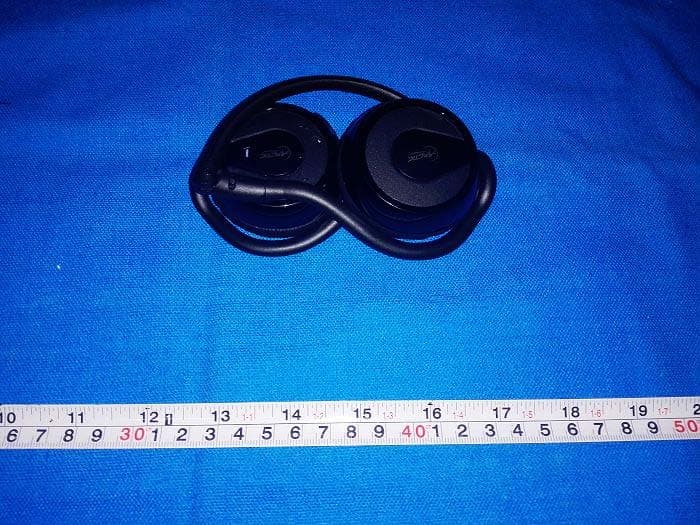
Z3AP324BT
Dec 06, 2014P324BT Bluetooth Headphones with Microphone
Equipment Class
DTS - Digital Transmission System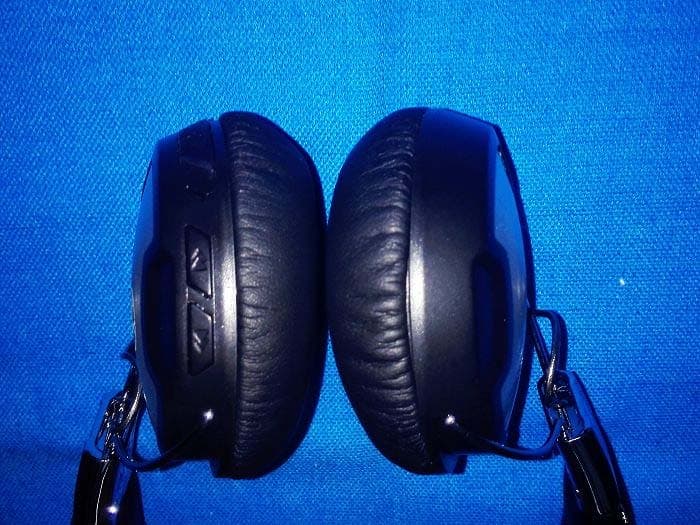
Z3AP614BT
Nov 28, 2014P614BT Bluetooth Headphones with Microphone
Equipment Class
DTS - Digital Transmission System
Z3AS111BT
May 09, 2014S111BT Bluetooth Speaker with embedded battery
Equipment Class
DSS - Part 15 Spread Spectrum Transmitter
Z3AMC101
Aug 26, 2012Home Entertainment Center
Equipment Class
JBP - Part 15 Class B Computing Device Peripheral